

ProtaStructure models drawings can be produced in 3 alternative ways.

Drawing must be created/opened before generating any detail drawing except for "Auto Generate Details (Detail Drawings Manager)"
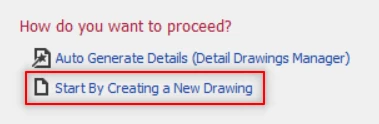
-
Auto Generate Details (Detail Drawings Manager)
- In Start Page, select the "Auto Generate Details (Detail Drawings Manager)"
- A new drawing will be automatically created and "Draw Details" dialogue will appears.
- After adjusting the preferred parameters options, click "Draw" and left click on any spot in the "Drawing View" that you wish to generate the drawing.
- Please refer to "Detail Drawings Manager" article to learn more.
-
"Detail" Treeview Context Menu
- Select and Right Click the preferred tool.
- Select "Draw …" or "Detail Drawing Manager" to open the "Draw Details" Dialogue.
- After adjusting the preferred parameters options, click "Draw" and left click on any spot in the "Drawing View" that you wish to generate the drawing.
-
Command Line
- All detailing tools have corresponding commands.
- To generate drawings, 2 commands can be used:
- DetailManager
- DrawAllDetails
- Press "Enter" key when confirmed and "Draw Details" dialogue will appears.
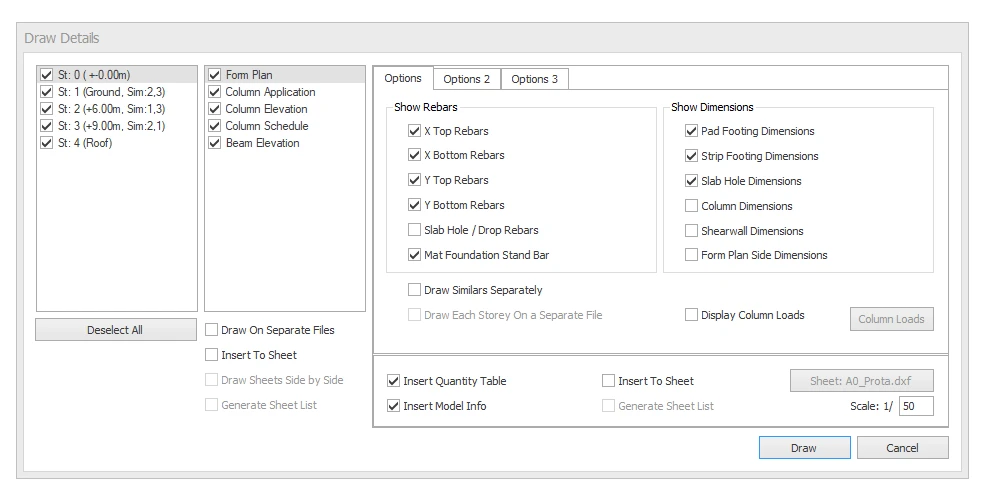
- After adjusting the preferred parameters options, click "Draw" and left click on any spot in the "Drawing View" that you wish to generate the drawing.