

General
Users can customize built up steel section if the particular steel sections are not available in the database. Sections created can be applied to column, beam, girt, beam, truss and so-on.
Built Up Steel
Steps to customize built up steel section as below:
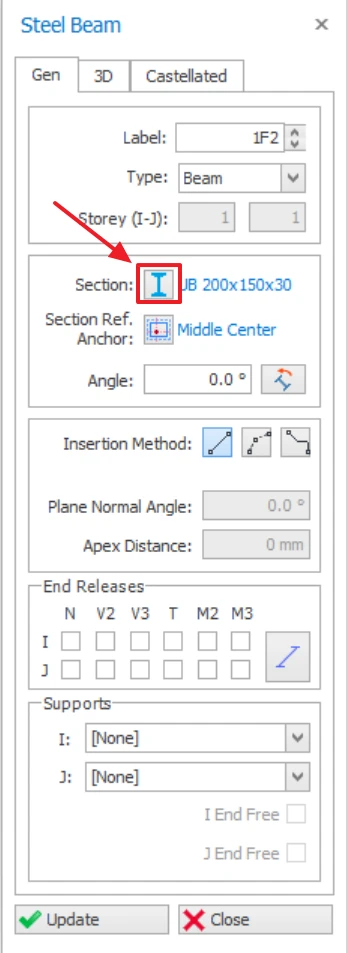
- Open steel member properties and select the "Section Manager".
- In Database, select "Built Up Steel".
- Select sections.
- Edit the parameters in the table and rename the Section Name
- Click Ok then click Update in the steel member Properties.
Customizing Channel Section
User can customize steel channel section such as C section channel, Z section channel and Sigma section channel.

Cold Formed Steel are not designed in ProtaStructure. ProtaStructure will only design for Hot Rolled Steel Section.
Steps to customize channel steel section as below:
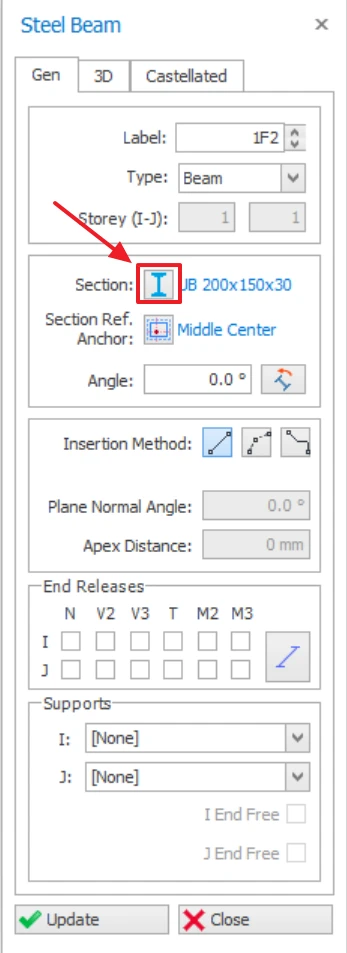
1. Open steel member properties and select the "Section Manager".
2. In Database, select "Cold Formed".
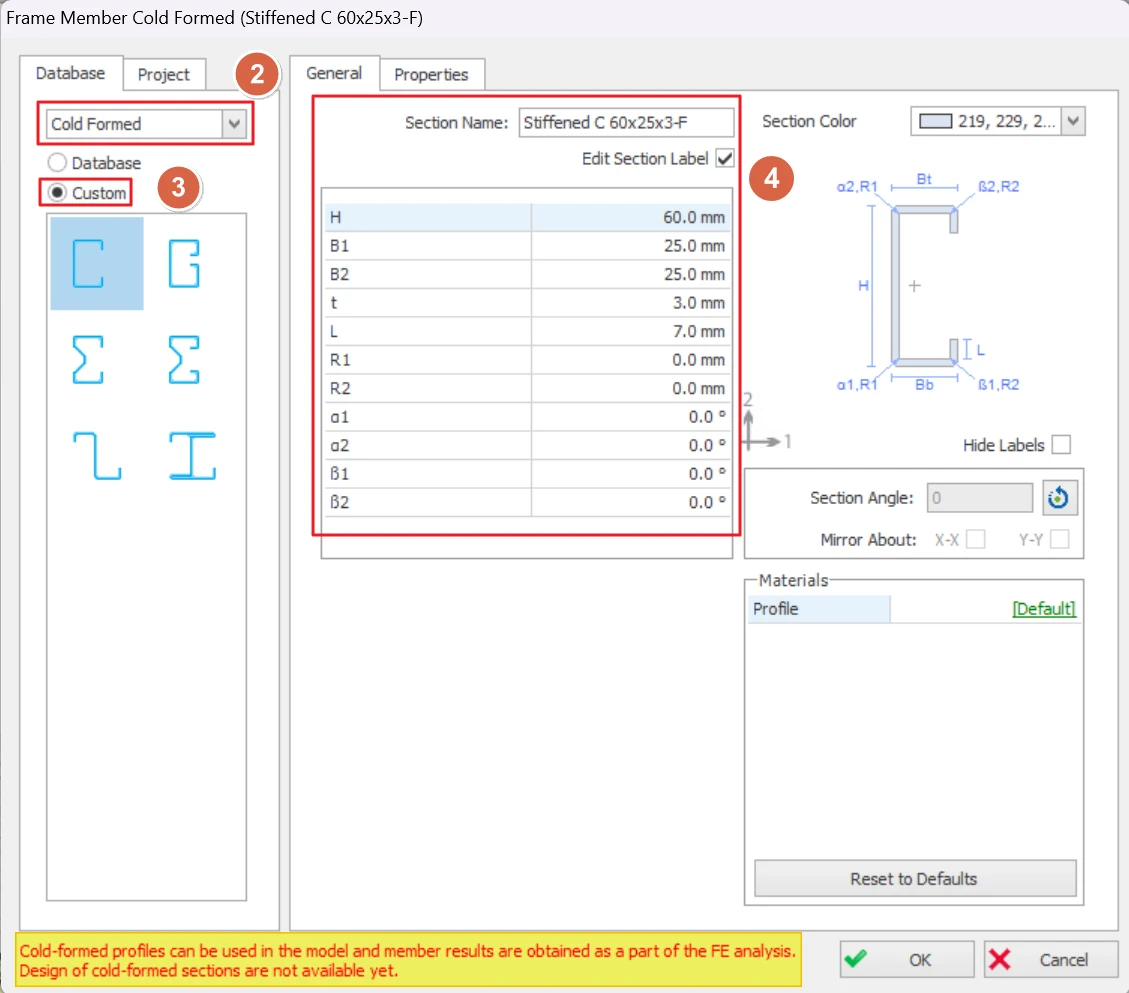
3. Select "Custom" and select a section shape.
4. Edit the section parameters in the table and rename the Section Name (if desired)
5. Click Ok then click Update in the steel member Properties.