

Generating quantity take-off report for Reinforcement
The quantity table should first be inserted into the respective drawings by checking the “Insert Quantity Table” when generating drawings from the detail drawing manager.
To generate the reinforcement quantity take-off report:
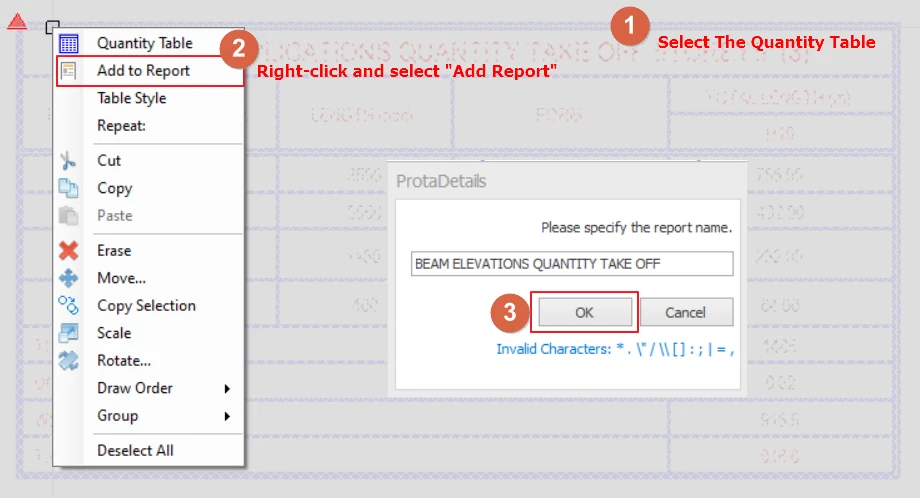
- Select the quantity take off table for the respective drawings. If you wish to generate multiple tables into one report you may multi-select more than one table by holding CTRL+left click on the tables.
- After selecting the tables, right click and select “Add To Report”
- A window will appear which you can enter the quantity table title and click “OK”.
- You can then export the report to PDF or word format.
Generating quantity take-off report for Concrete Volume
The concrete quantity report is generated through ProtaStructures. However the concrete quantity report is available to be viewed using Report Manager in ProtaDetails
To generate the concrete quantity report using ProtaStructures please refer to this article : Quantity Extraction Tables