Web designing in a powerful way of just not an only professions. We have tendency to believe the idea that smart looking .

Community

Profile Editor

Frame element profile editor is a tabbed dialog box which is used for setting and modifying all properties of all types of frame elements (girls, purlins, etc.). Displaying Frame Element Profile Editor Either double-click on the element for which you want to view/change properties or select it first and press Enter key. Modifying Multiple Elements Simultaneously Select […]

Overview Of Coordinate System Workplane Concept

All modeling jobs in ProtaSteel are carried out in a right-handed coordinate system. For the modeling of complicated structures it may be necessary to work with multiple coordinate systems. There are four types of coordinate systems:  World Coordinate System Coordinate System User Coordinate System Element Coordinate System. Element coordinate system is only used for element […]

Marking Of Beam As Cantilever And The Impact On The Analysis Design Of Cantilever Beam

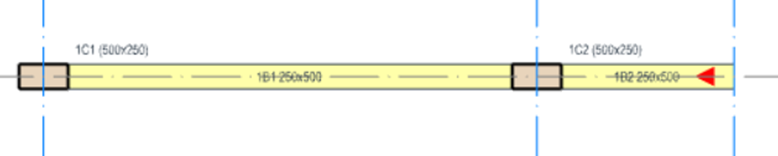
Introduction In ProtaStructure, all cantilever beams should be correctly marked, to ensure correct design & detailing.  During the modelling process, whenever a beam is unsupported at one end, the program will automatically mark it as a cantilever.  A red triangle will appear at the free end of the cantilever, point towards the support as shown […]

Insert Own Sheet Titleblock

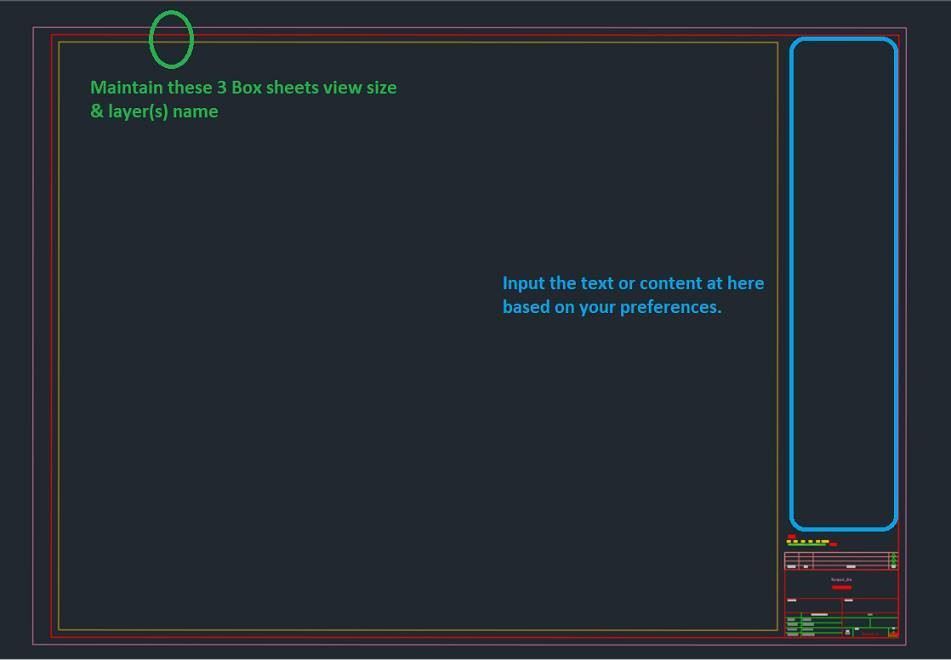
In ProtaDetails, user can select own preferred sheet (titleblock) when generating any detail drawings. To do so, refer to steps below: Go to "C:Users<username>DocumentsProtaLibSheets" and make a copy of Prota original Title Block drawings.  Open the copied Prota title block drawing(s), modify it based on your company preferences and save it after you are done […]