Web designing in a powerful way of just not an only professions. We have tendency to believe the idea that smart looking .

Community

How To Install Opensees To Run Non Linear Analysis And Performance Based Seismic Design

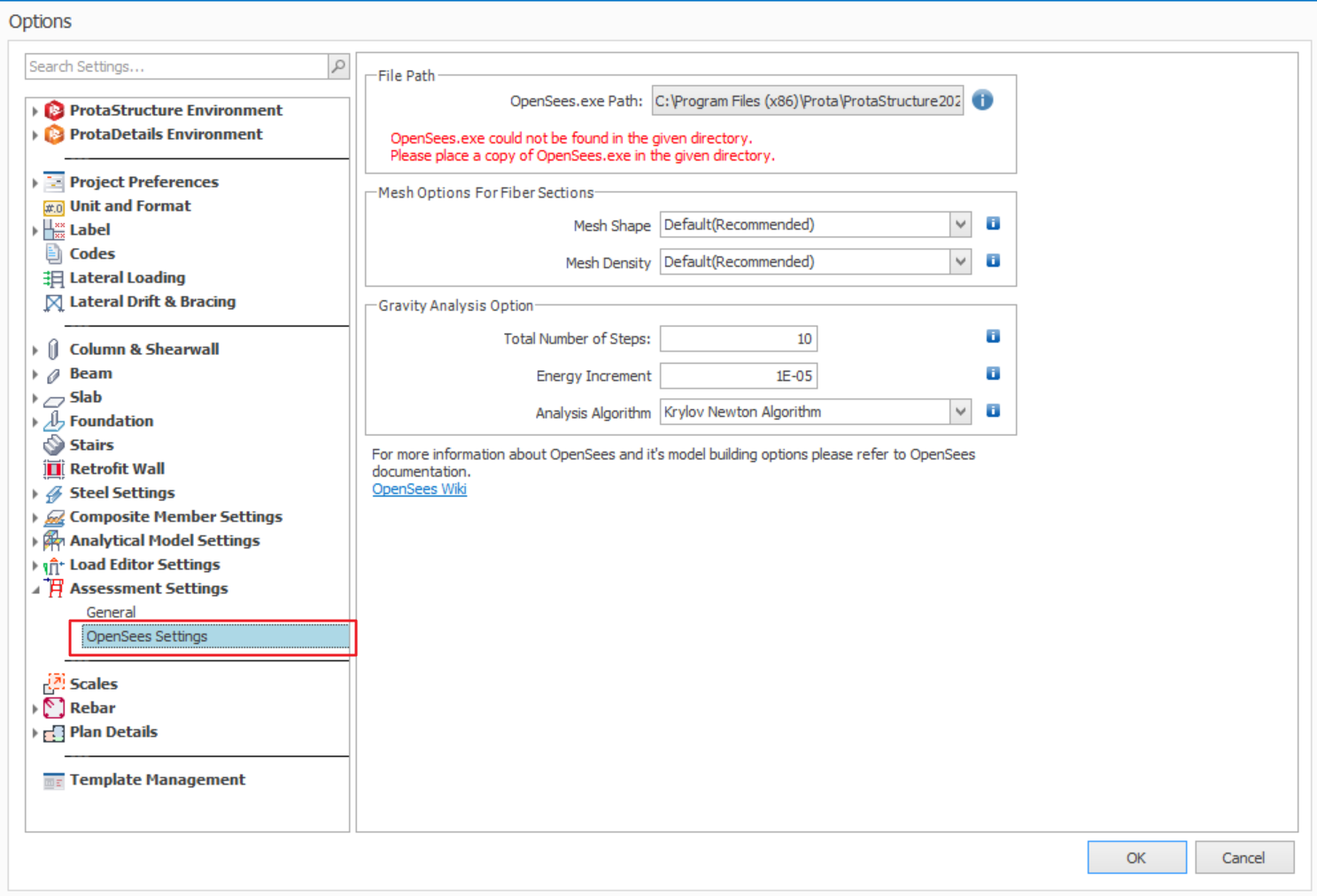
ProtaStructure requires OpenSees to perform non-linear Time History Analysis & Pushover Analysis. If OpenSees is not installed, the program will show the warning as shown in the figure below: ProtaStructure 2025 & later  Steps to install OpenSees: 1) Download OpenSees from https://opensees.berkeley.edu/OpenSees/user/download.php 2) Copy "lib" folder in "OpenSeesXXX.exe" folder to C:Program Files (x86)Prota 3) Copy all files in the […]

Protastructure Common Installation Issue

Before installing of ProtaStructure, ensure the following your computer meet the minimum specification stated in this article :  Hardware & System Requirements for ProtaStructure Suite To ensure ProtaStructure runs optimally and effectively, we highly recommend that you aim for the higher recommended specification.  Common Problem 1 :  Installation fails to complete with message "There is an […]

Ifc Sg In Protastructure

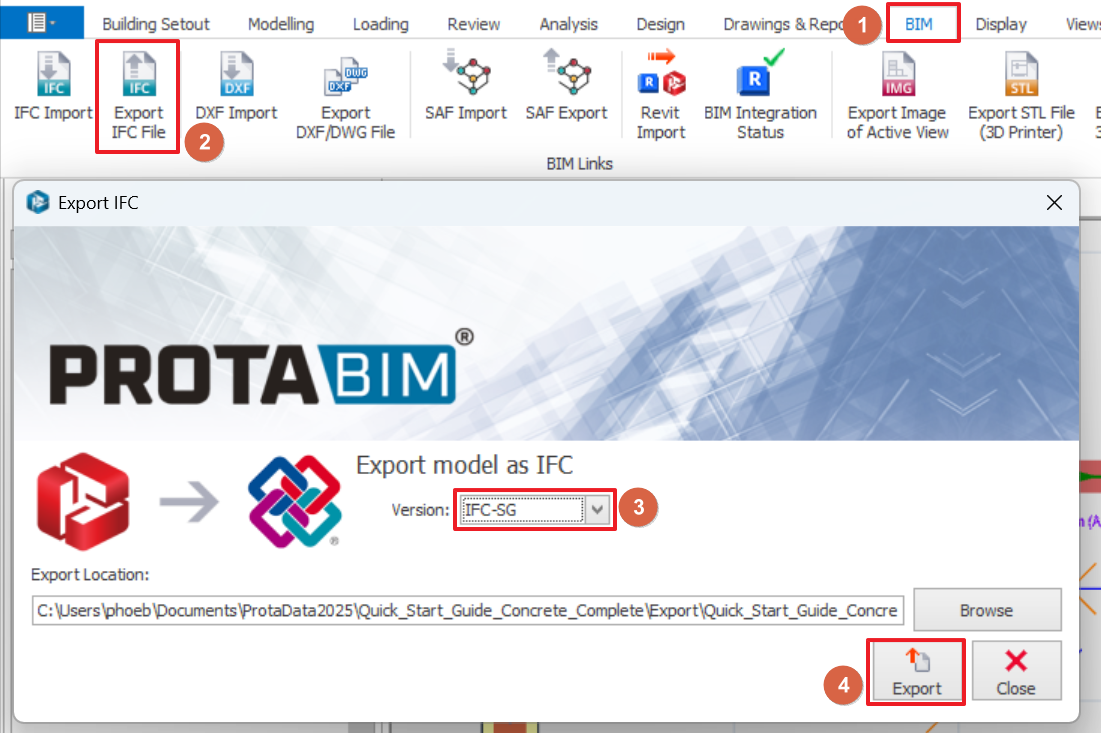
From ProtaStructure 2025 version onwards, models can be exported to IFC+SG format complying to Singapore CORENET X Code of Practice. IFC+SG is extended version of IFC4 which introduces new representations for Singapore localized regulatory requirements.  For details, users can refer to CORENET X website : https://info.corenet.gov.sg/. Export IFC+SG Firstly, ensure the structural elements and foundations are all analyzed […]

Revit

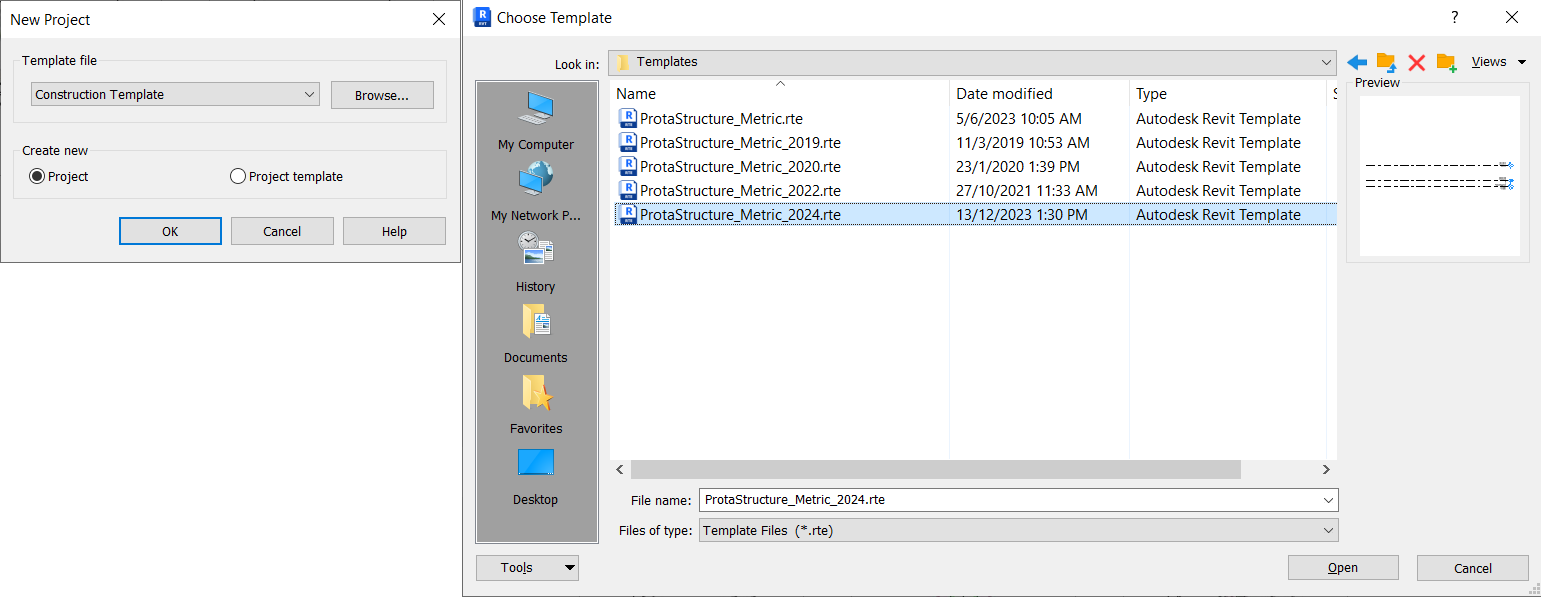
Scope of Integration – ProtaBIM  PS to Revit Capabilities  RC and Steel columns/beams with known shapes. Curve Beams Cranked Beams Polyline columns (irregular shape) Vertical Walls Horizontal and Sloping Slabs Slab Holes and Drops Steel Truss, Girt, Purlin, Brace Levels Member and Storey Filters Pad Footing Foundation: Raft Foundation Pile Caps PS to Revit – […]

Sistema De Licencia De Prota

Gracias por escoger a Prota como su compañero de tecnología. Como el equipo de Prota, nuestra principal prioridad es ofrecer a nuestros clientes un excelente soporte técnico y una excelente experiencia post venta. La Suite de ProtaStructure es un software de ingeniería altamente especializado con poderosos componentes que lo mantendrán a usted como usuario siempre […]

How To Check Singularity Or Large Deformation Warnings During Building Analysis

It’s very important to know how to check the validity of the model especially if there are errors or warning messages appearing during building analysis.   The warning are also record in the "Analysis Model Echo" report accessible by going to "Drawings & Reports" ribbon > "Report" dropdown menu.  Matrix singularity warning means the joint […]

Detailed Design Diagram Ps 2022

Introduction Member analysis results for  can be viewed in Detail Design Diagram after running the Building Analysis. Forces such as moment, axial loading, torsion, shear and etc. can be reviewed here.  To access Detail Design Diagram: click on "Diagrams" in member "Section Design", Right click on member, then select "Analysis Result Diagrams" , or Right click on member (rigid […]

Staged Construction Analysis

Introduction Staged construction analysis is a sophisticated method of solution which, if used with a reasonable degree of care can more closely reflect the real behaviour of the structure.  ​ A standard 3D analysis takes no account of time dependant effects ‐ it assumes the structure has been constructed instantaneously. In the real world a […]