Web designing in a powerful way of just not an only professions. We have tendency to believe the idea that smart looking .

Community

Isolate Unisolate Storey

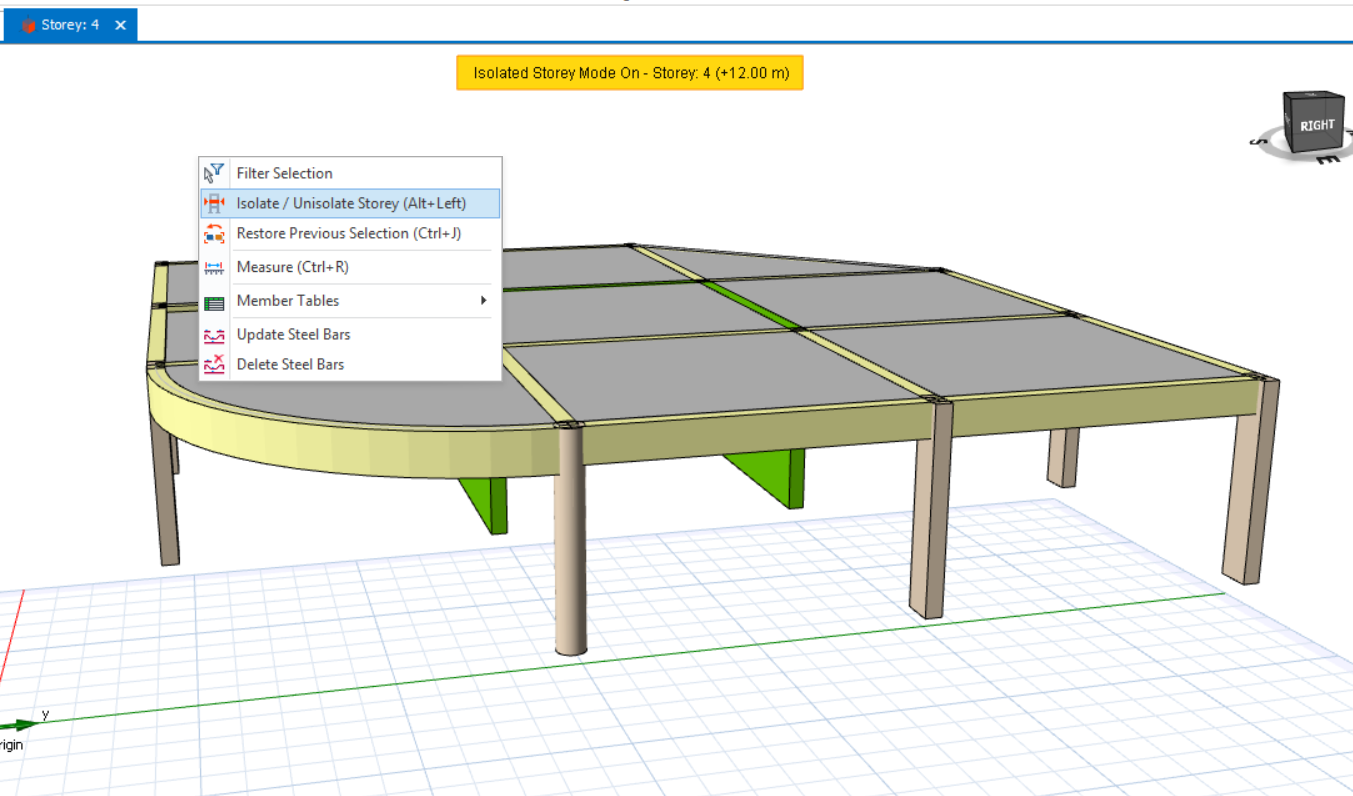
Users can isolate storey in the 3D view, allowing for clearer visualization of the members on the active storey. To isolate a storey, right-click anywhere in the 3D view, then select ‘Isolate/Unisolate Storey’. After that, only the active storey will be visible in the 3D view.  Alternatively, user can use the shortcut button of (Alt+Left) […]

3 D View

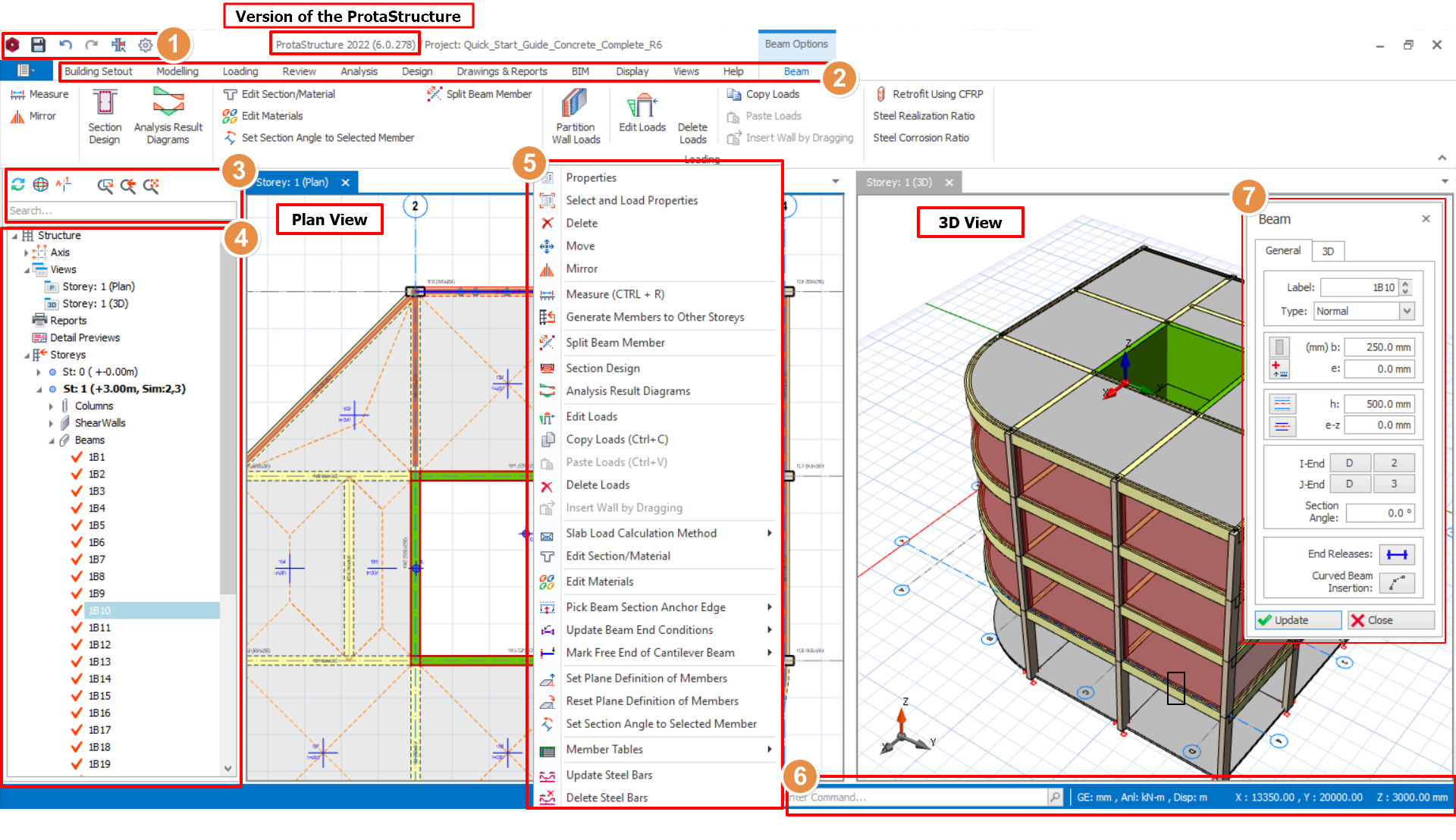
Multiple 3D Views of the model can be concurrently made active by going to "Views" Tab > 3D Physical Model. Alternatively, right click the “Views”  in the structure tree and select the “3D view”.  A 3-D perspective view of the whole model can be displayed which can be filtered to display only specific storeys, axes, or […]

Re Label Members

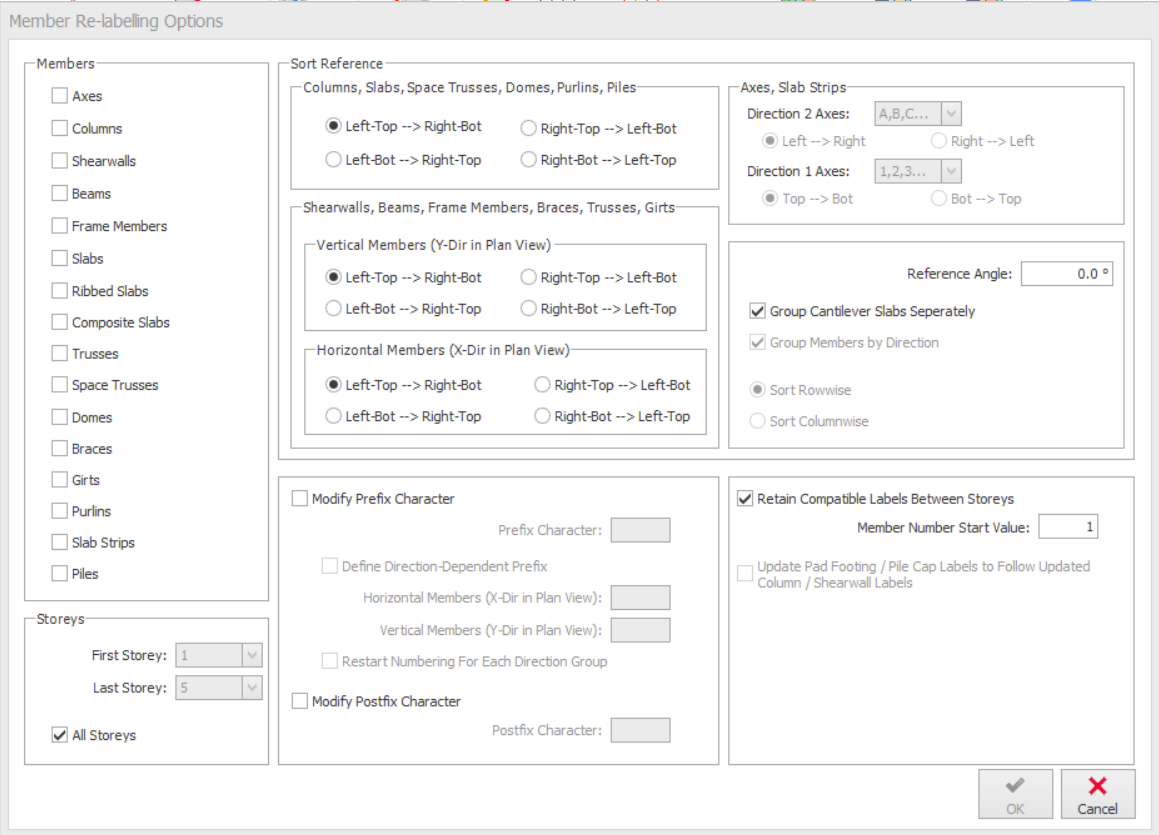
The “Member Re-labelling Option” can be found in “Review” tab to re-assign the member labels for particular member groups. Members can be re-labelled pressing “OK” button after selecting one or more member groups. Members You can check the member groups to be re-labelled using the check-boxes in this section. Storeys Using the dropdown lists in […]

Review Tab

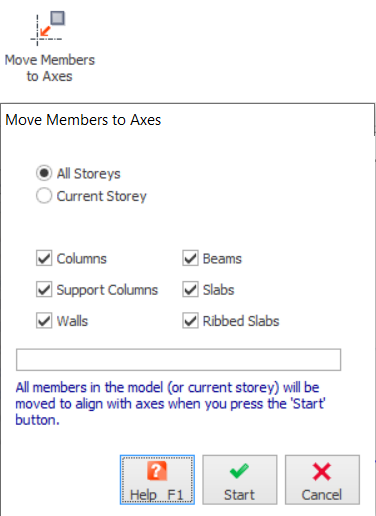
Under the Review tab, there are functions as in the image below: Re-Label Members To sort the member labels according to user preference. Refer to this article for more details: Re-label members Move Members to Axes To refresh the insertion definitions of members based on related axis positions. Refer to this article for more details: Move Members to […]

Zooming And Panning

The Graphic Editor provides several ways to control the display of the drawing in plan and 3D windows. You can zoom to change the magnification or pan to reposition the view in the drawing area. All display control options are located in the above structure tree. The following options are available: Refresh Display  Re-generates all […]

Object Snap Options

During object creation commands, you can snap the cursor to points on the drawing entities such as endpoints, midpoints, intersections and centres. For example, you can insert an axis element from an intersection created by two existing axis elements to the midpoint of another axis. Object snap options can be turned on by picking the […]