Web designing in a powerful way of just not an only professions. We have tendency to believe the idea that smart looking .

Community

Measure In Plan View And 3d View

The measure command in ProtaStructure is significantly improved so that you can snap to any 2D and 3D points, including line intersections, solid object vertices, extensions, intelligent element points, axis intersections, and so on, and measure the distance between them. The measure command will immediately mark the points with coordinate labels and provide information on […]
Article 7 10 2020

With reference to the flow chart, click on the links below for details. 1.  Build the Model Building a Model Guideline Building Model Check 2.  Derive Beam Loads using the "Yield Line" (tributary area) approach. 2a.  FE Load Decomposition 3.  Run general Building Analysis Include Slab in Building Analysis 3a.   FE Floor Analysis (Flat Slab/ Sub-Frame) […]

Working With Flat Slabs

Flat Slab Guidelines The modelling, analysis and design of flat slab is described in detail here : For ProtaStructure 2022/ ProtaStructure 2024: Flat Slab Modelling, Analysis and Design For Flat Slab and Raft Design with Slab Patch Panel: Flat Slab and Raft Design with Slab Patch Panels  The following are additional topics of interest related to flat […]

Temperature Loads

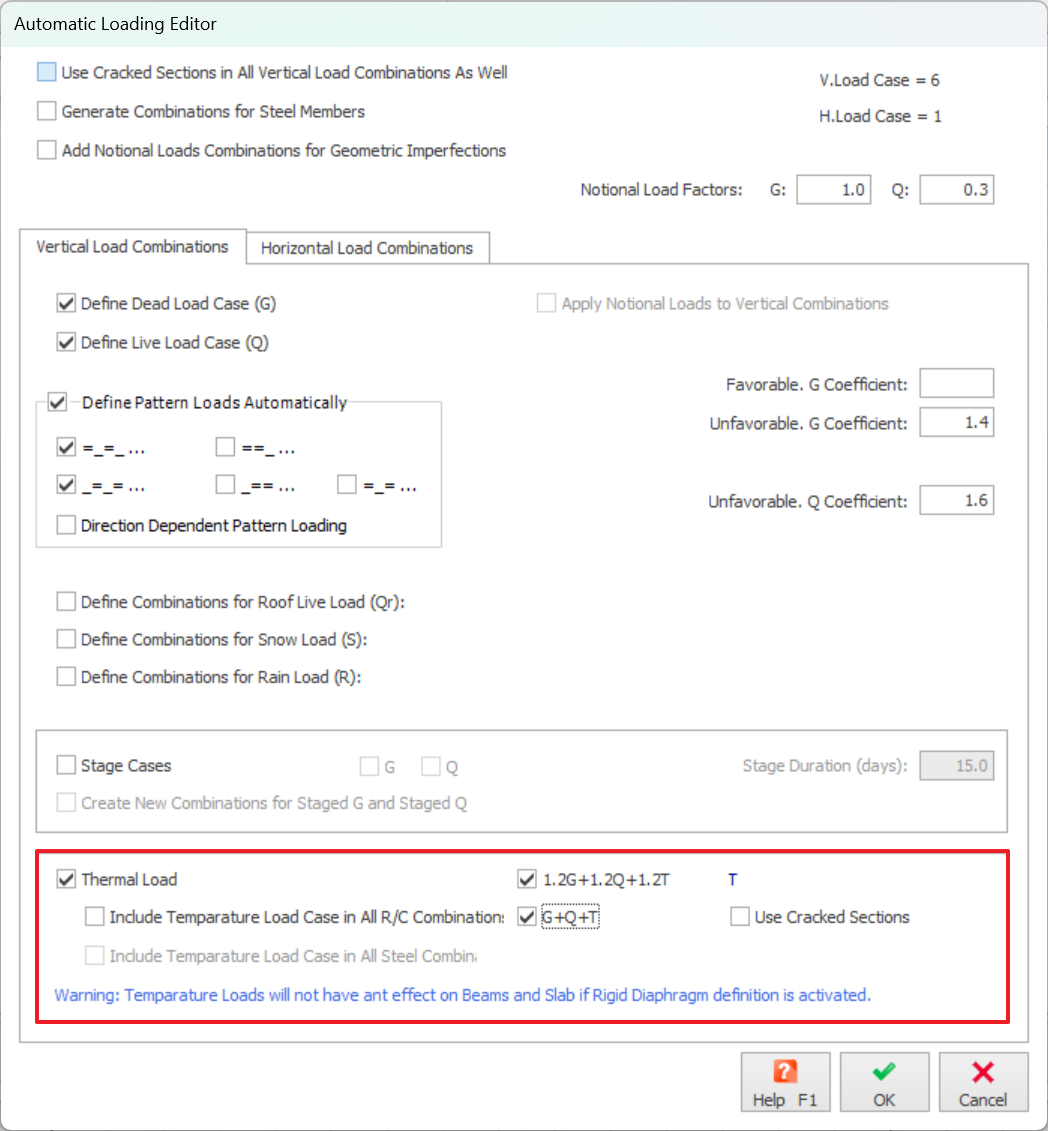
           Define Thermal Load User-defined temperature differences can be assigned to individual, or multiple columns, walls and beams in the model. An “Axial” temperature load causes the entire member to change in temperature by the specified amount. The value entered should be difference of temperature.  A “Gradient” temperature load is a […]

Working With Planes

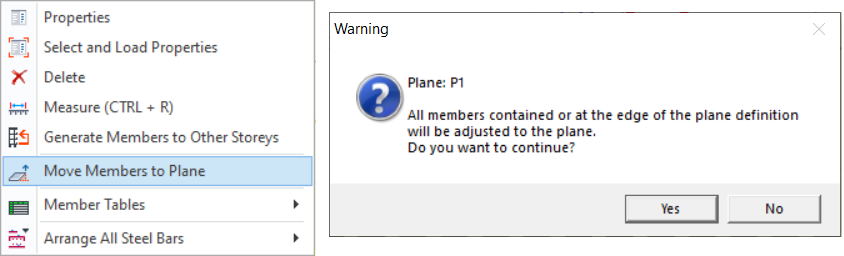
Plane Properties Plane Definition "Plane Properties" will be loaded when the "Plane Definition" option in the "Modelling" ribbon is selected. Planes are used to assist adjusting the levels of the members in Z direction. Plane definition is a particularly efficient way of modeling structural members such as sloping slabs (e.g. ramps) that are not parallel […]

Castellated Beam

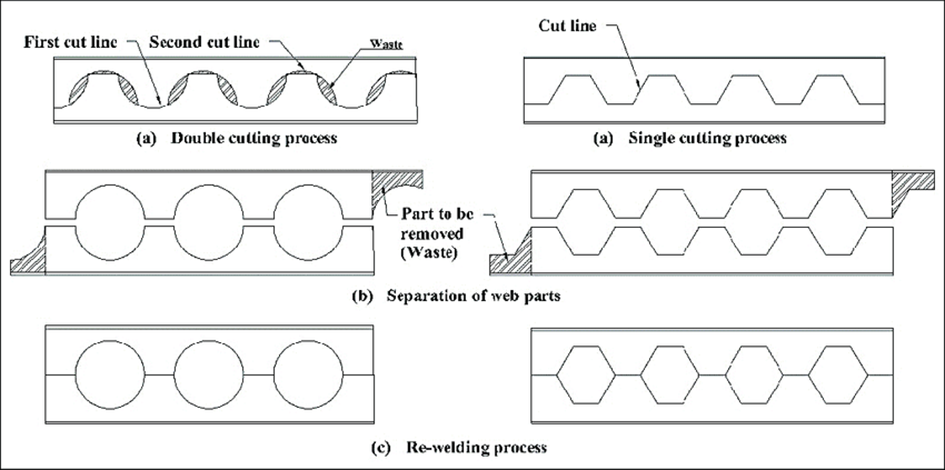
A castellated beam is created by slicing an I-beam longitudinally along its web in a specific pattern. The goal is to separate and then rejoin the beam with a deeper web. These beams are categorized based on the shape of the openings in the web section, with common shapes including hexagonal, circular (also known as […]

Working With Columns

Defining a New Column Before inserting a column member its reference axes must be defined.  Column can only be inserted on insertion point defined by intersection of 2 axes.  To define a new column member (Concrete/Steel):  Display the storey level in the drawing area which will contain the top of the column. To create concrete […]