Web designing in a powerful way of just not an only professions. We have tendency to believe the idea that smart looking .

Manuals Page

409 result(s) found

Graphical Editor Basics

Zooming And Panning

The Graphic Editor provides several ways to control the display of the drawing in plan and 3D windows. You can zoom to change the magnification or pan to reposition the view in the drawing area. All display control options are located in the above structure tree. The following options are available: Refresh Display  Re-generates all […]

Read More
Graphical Editor Basics

Object Snap Options

During object creation commands, you can snap the cursor to points on the drawing entities such as endpoints, midpoints, intersections and centres. For example, you can insert an axis element from an intersection created by two existing axis elements to the midpoint of another axis. Object snap options can be turned on by picking the […]

Read More
Column and Wall Design

Column And Wall Design Overview

Column and Wall are the significant vertical structural members in a building structure. Column Reinforcement Design Tab can be loaded by selecting the "Columns" under the Design tab. Design settings of columns and walls are explained in detail in the following sections. Overview of the Column Summary Table Column and Wall Design Contents Interactive Column Design Define Merged Wall/Irregular […]

Read More
Column and Wall Design

Column And Wall Design Contents

The "Column Section Design" form can be accessed by clicking the “Column Section Design” option under the “Design” pulldown menu in the Graphic Editor.  ProtaStructure can design rectangular, circular and polyline columns under uniaxial or biaxial bending according to “Ultimate Strength Design”.  General Settings to be used in the column and shear wall designs are […]

Read More
Column and Wall Design

Interactive Column Design

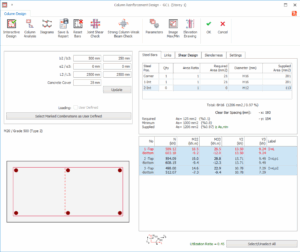
In the “Column Reinforcement Design” column sections and reinforcement arrangement can be examined and changed interactively. Since columns and walls are the primary members of a structure, especially the critically loaded ones should be designed interactively where the user can view the results of each loading applied on the column clearly and update the arrangement […]

Read More
Column and Wall Design

How To Use Mesh Reinforcement Brc For Shear Wall Design

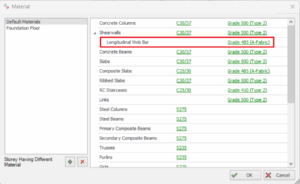
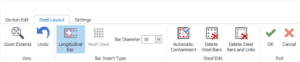
To use mesh reinforcement / BRC for shear wall design, these are the steps : In Building Analysis menu > Edit Materials > Shear walls > Longitudinal Web Bar > Pick a Fabric Rebar  Click Rebar Diameters  and choose the diameter to be used in the design. Go to Column & Shear wall Design Settings […]

Read More
Column and Wall Design

Define Merged Wall Reinforcement In Polyline Column Editor

Step 1: Select the merged RC walls on plan view > Right click > Polyline Wall Editor. This will launch the Polyline Column Editor, which is similar the same dialog used for irregular shaped columns.  Kindly note that if you have run building analysis, it’s also possible to access this polyline column editor by selecting […]

Read More
Column and Wall Design

Overview Of The Column Summary Table

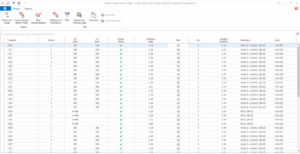
Design Tab After clicking the “Columns” option in the “Design” tab you will see a summary table in which all the columns and walls in the current project are listed for all storeys. The summary table can be manipulated as follows: To filter members Initially the column summary table displays all columns and walls at […]

Read More
Foundation Design

Design Of Stepped Foundations Elevator Pits And Horizontal Soil Springs With Protastructure Suite 2024

ProtaStructure Suite 2024 has come with hundreds of new features! The second session of our special webinar series exploring this brand-new version focused on the design of stepped foundations, elevator pits and horizontal soil springs. One of our most experienced technical support engineers, Volkan Öğüt, has explained how to model stepped foundations, elevator pits, strip […]

Read More
ProtaSteel Videos

How To Utilize Knee Connection Macro In Protasteel 2024

ProtaSteel 2024 has come with a variety of new capabilities, and the brand-new knee connection macro is one of them! You can utilize the knee connection to connect portal rafters to columns where you don’t want to use a standard haunch connection. In this video, you will learn how to create and customize knee connections […]

Read More
ProtaSteel Videos

Intelliconnect Clash Check Protasteel

IntelliConnect is a revolutionary tool allowing you to complete steel connection design at a magnificent rate. It automatically assesses joints to your preferences, batch creates and designs steel connections. It covers a wide range of simple, moment, splice, and weld connections. It considers constructability by intelligently arranging and configuring all the components of the connections without […]

Read More