Web designing in a powerful way of just not an only professions. We have tendency to believe the idea that smart looking .

Manuals Page

409 result(s) found

Structural Modelling

Working With Slab Openings Drops

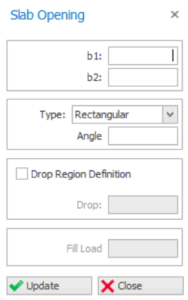
Slab Opening Properties   "Slab Opening Properties" will be loaded when the "Slab Opening" option in the "Modelling" ribbon is selected. A new slab opening can be defined by arranging the fields in the form and then by clicking the insertion reference. Slab Opening Dimensions (b1, b2) Horizontal ("b1") and vertical ("b2") dimensions of the […]

Read More
Structural Modelling

Working With Space Truss

This function can specify a region and insert a space truss parametrically. You can control parameters such as cell size, number of rows and columns, curvature and more. Inserting a Space Truss To insert a steel space truss: 1. Pick the Space Truss command on the Modeling > Steel Members ribbon tab. 2. Draw a […]

Read More
Structural Modelling

Support Types

Support Types  Each of the Six Degree of Freedoms (DOF) at the bottom node of the columns can be restrained or unrestrained. Furthermore, each of these DOF can be assigned torsional or axial springs whose spring constants are to be determined by the user. In order to create Support Types to be assigned to bottom node […]

Read More
Structural Modelling

Slab Additional Loads Library

The “Slab Additional Loads Library” is used to create/edit the additional dead loads selectable from the drop down menu on the “Slab Properties” dialog. "Slab Additional Loads Library" will be loaded when this option in the "Building Setout" pulldown is selected. The library consists of 3 tables: “Material Library” – this is a list of various slab […]

Read More
Structural Modelling

Member Replication Manipulation

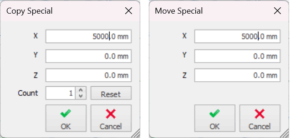
Program provides some modelling replication/ manipulation for ease of modelling.  Copy/ Move Member Select a member (e.g. frame member) or multiple members.  Right-click and select Copy or Move command.  Pick the reference point on screen and pick the destination point which the member(s) will be copied or moved.         Copy/Move Special Command Copy/ […]

Read More
Structural Modelling

Working With Steel Dome

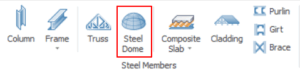
Steel Dome Structure can be easily created using the "Steel Dome" function in the "Modelling" tab. Defining a New Dome To define a steel dome : Go to "Modelling" tab > Steel Dome Select the dome insertion point diagonally (select the diameter of the dome). Double click the dome to access its properties to adjust the parameters.   […]

Read More
Structural Modelling

Polyline Column Editor

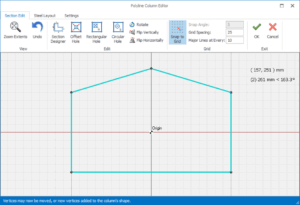
To create a irregular shape concrete column, you use Polyline Column Editor.  After defining a rectangular column at an intersection, this column can be converted into a polyline column by : Select the Column Click "Polyline Column Editor" icon in the top Column Ribbon Alternatively, right-click to expose the context menu >  Choose "Polyline Column […]

Read More
Structural Modelling

Define Wall Column Span Loads

User-defined varying distributed lateral loads can be applied to the individual column and wall member.  The span load applied maybe used to simulate : Soil Pressure on basement wall Hydrostatic load As an alternative to defining wind load (other than the default method of application to the floor diaphragm)  The currently specified  Load Combinations must include […]

Read More
Structural Modelling

Measure In Plan View And 3d View

The measure command in ProtaStructure is significantly improved so that you can snap to any 2D and 3D points, including line intersections, solid object vertices, extensions, intelligent element points, axis intersections, and so on, and measure the distance between them. The measure command will immediately mark the points with coordinate labels and provide information on […]

Read More
Structural Modelling

Defining A New Brace

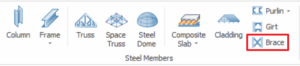
Defining a New Brace In order to define new braces follow the below steps:  Click on the "Brace" button from "Modelling" ribbon or you can use command line at right bottom corner.                                      Pick two consecutive columns or beams.  Brace […]

Read More
Structural Modelling

Article 7 10 2020

With reference to the flow chart, click on the links below for details. 1.  Build the Model Building a Model Guideline Building Model Check 2.  Derive Beam Loads using the "Yield Line" (tributary area) approach. 2a.  FE Load Decomposition 3.  Run general Building Analysis Include Slab in Building Analysis 3a.   FE Floor Analysis (Flat Slab/ Sub-Frame) […]

Read More
Structural Modelling

Working With Flat Slabs

Flat Slab Guidelines The modelling, analysis and design of flat slab is described in detail here : For ProtaStructure 2022/ ProtaStructure 2024: Flat Slab Modelling, Analysis and Design For Flat Slab and Raft Design with Slab Patch Panel: Flat Slab and Raft Design with Slab Patch Panels  The following are additional topics of interest related to flat […]

Read More