Web designing in a powerful way of just not an only professions. We have tendency to believe the idea that smart looking .

Manuals Page

409 result(s) found

Auto Connection Detailing

End Plate Connection Macro Example

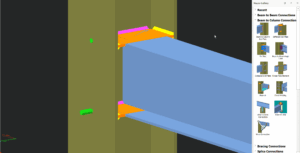
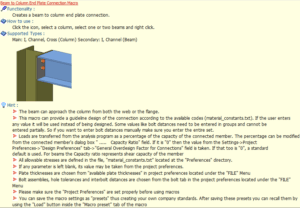
An End Plate Connection can be created between a beam & a beam or a beam and a column. Placing the mouse cursor over the End Plate Connection Macro will reveal the tool tip describing the scope and the steps of the macro.  End Plate (Beam – Column) Pick End Plate connection icon under "Beam […]

Read More
Auto Connection Detailing

Haunch Connection Macro Example Psteel 2022

Placing the mouse cursor over the Haunch Connection Macro will reveal the tooltip describing the scope and steps of this macro. How to use it: Pick "Haunch Connection"  Select the Column Select the Beam The connection will be automatically created. The blue transparent box is the cut object, It can be turned on/off in visibility settings. The GIF […]

Read More
Auto Connection Detailing

Multiple Stiffened Web Opening Macro Psteel 2022

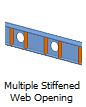
In ProtaSteel,  "Multiple Stiffened Web Opening Macro"  can be used for multiple opening on the web of a profile. Placing the mouse cursor over the   "Multiple Stiffened Web Opening Macro" under "Detailing" section in Macro Gallery will reveal the tooltip describing the scope and steps of this macro. How to use it:  Click Multiple Stiffened Web Opening  icon […]

Read More
Auto Connection Detailing

Macro

You can save the macro settings as "Presets" thus creating your own company standards. Any number of macro presets can be created and saved for later use in other projects. Presets can be created for all macro types. Preset property is a useful connection design tool which has provide easily and quickly create a connection.  How to use Macro […]

Read More
Auto Connection Detailing

Intelliconnect 24 3 2021

Intelliconnect automatically assesses joints to your preferences, batch creates and designs steel connections. It covers a wide range of simple, moment, splice and weld connections. It considers constructability by intelligently arranging and configuring all the components of the connections without user intervention. This results in huge improvement in productivity as it minimizes time required to manually […]

Read More
Auto Connection Detailing

Connections Macro Ps 2022

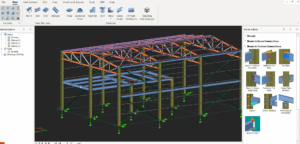
Most of the icons in ProtaSteel such as connections, purlins, sag rods & girts are called “macros”. A macro is generally defined as a shortcut tool that specifies how a certain input sequence will result in a desired output according to a defined procedure. The instruction on how to use each macro is shown in […]

Read More
Auto Connection Detailing

Angle Cleat Connection Macro Example

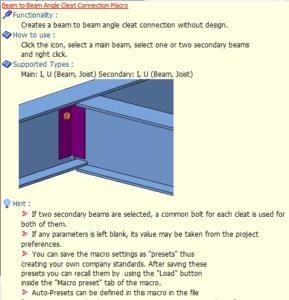
An Angle Cleat Connection can be created between beam & beam or beam and column. Placing the mouse cursor over the Angle Cleat Connection Macro will reveal the tool tip describing the scope and the steps of the macro Angle Cleat (Beam – Column) Pick Angle Cleat connection icon under "Beam to Column Connection" section. […]

Read More
Auto Connection Detailing

Stiffener Example Psteel 2022

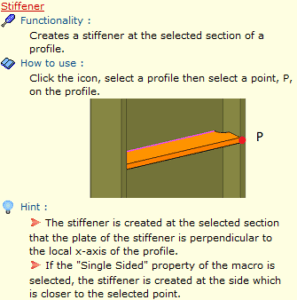
Placing the mouse cursor over the Stiffener under "Detailing" section in Macro Gallery reveal the tooltip describing the scope and steps of this macro.  How to use: Pick Stiffener icon  Pick a profile (i.e. Column) Select the point where the stiffener should be located.  The stiffener will be generated.  Create the most appropriate View firs […]

Read More
Auto Connection Detailing

Base Plate Connection Macro Example Psteel 2022

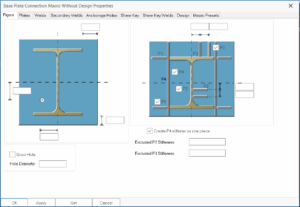
Base Plate Connection Macro Without Design Example This connection macro creates base plate and places anchor bolt holes underneath a column. Placing the mouse cursor over the Base Plate Connection Macro Without Design will reveal the tooltip describing the scope and steps of this macro. Right click the icon will call out the macro's properties, all parameters can be […]

Read More
Auto Connection Detailing

Corner Bolted Gusset Plate Connection Macro Example Psteel 2022

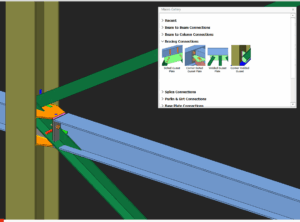
Placing the mouse cursor over the Corner Bolted Gusset Plate Connection Macro will reveal the tooltip describing the scope and steps of this macro. The below is the example as described in ProtaSteel Quick Start Guide : Pick Corner Bolted Gusset Plate Connection icon  Pick the column Pick the top brace Pick the stiffener (orange plate) A corner bolted gusset plate connection […]

Read More
Auto Connection Detailing

Fin Plate Connection Macro Example Psteel 2022

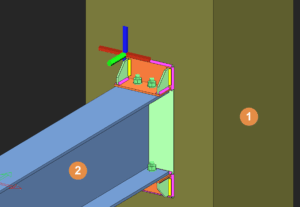
Placing the mouse cursor over the Fin Plate Connection Macro will reveal the tooltip describing the scope and steps of this macro.  Note: Click to enlarge the image Fin Plate (Beam – Column) Pick "Fin Plate" connection icon under "Beam to Column Connections" section. Pick the column.  Pick the beam.  Select stiffener(s) if have and […]

Read More
Auto Connection Detailing

Beam To Rc Wall Column Connection Example Psteel 2022

This connection macro creates & designs an embedded steel connection between a steel beam and a concrete wall or column. The steel member must be perpendicular to the reinforced concrete surface. It is important to have enough space on the concrete surface, else the macro will not work. Placing the mouse cursor over the Beam To Wall Connection Macro will […]

Read More