Web designing in a powerful way of just not an only professions. We have tendency to believe the idea that smart looking .

Manuals Page

409 result(s) found

Exclusive Webinars

Performance Based Design And Assessment

Performance-based design is a process that enables the development of structures that will have predictable performance when subjected to defined loading. Performance-based design (PBD) turns the traditional design paradigm upside down in the sense that the required performance is the starting point for the design. Considering the desired performance of the structure and selecting the […]


Read More
Exclusive Webinars

Existing Building Assessment And Retrofitting Turkey Earthquake Review 19 2 2024

The technical details and aftermath of the Türkiye Earthquake are uncovered in this webinar. You will find out everything you want to know about the disaster and see the collapsed city with your own eyes in this video. Moreover, the significant features of ProtaStructure allowing you to easily perform existing building assessment and retrofit modeling […]

Read More
Exclusive Webinars

Performance Based Seismic Design 19 2 2024

Structural engineering is the art of using materials to build structures so that our responsibility to the public safety is satisfied. With this sense, Prota Software Product Manager Mustafa Tan and Dr. Cüneyt Tüzün explained the essentials of performance-based design in this special webinar.  Outline: 📌 Brief History of Performance-Based Earthquake Engineering 📌 Philosophy of […]

Read More
Exclusive Webinars

Introduction To Seismic Isolation 19 2 2024

Starting from the definition of seismic resistance, the concept and applications of seismic isolation were introduced in this special webinar.  Outline: 📌 Principles of Seismic Isolation 📌 Seismic Isolator Types 📌 Seismically Isolated Building Design vs. Conventional Building Design 📌 Seismically Isolated Building Application Examples 

Read More
Import and Export

Ifc And Dxf Import Guidelines

Before starting a new model, you may like to have the Architectural plan (or the preliminary structural plan) to be displayed as reference to facilitate the creation of axes and structural members. The objects in the drawing are also recognized by the Graphic Editor, so that you can snap to the intersections, end-points etc. of […]

Read More
Import and Export

Merge Building Models

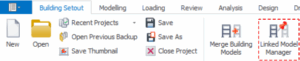
Merge Building Models You can find the "Load Building Model" from  BuildingSetout > Merge Building Models This function can be used to:  Merge building blocks import axis system of another model import foundation columns/walls of another block for creating merged foundations merging floors of the building created by different users. The  “Merge Building Models ” dialog […]

Read More
Import and Export

Linked Model Manager With Examples

User can find "Linked Building Model" from  Building Setout > Linked Model Manager. Function of Linked Model Manager is to manage link connectivity between merged model project and imported model project. It will only work when two models are merged via “Import Only the Foundation Columns” option. Extra care should be taken when merging building foundation […]

Read More
Import and Export

Bim Links Analysis Links

The BIM (Building Information Model) ribbon contains import & export functions for model, drawings, document and analysis software links.  IFC Import  We keep our commitment to continuously develop our IFC import and export links. We have continued fine-tuning our IFC support with wide range of models we received from our users.  IFC 2×3 Coordination View […]

Read More
Reports and Quantity Extraction

Report Manager

Report Manager Button The “Report Manager” is designed to collect and concatenate reports created using the individual modules. The "Report Manager" is the central report manager where all analysis and design reports can be accessed and managed.  It can be found from the "File" pulldown menu. Alternatively, you can find it from the file toolbars above the structure […]

Read More
Reports and Quantity Extraction

Quantity Extraction Tables

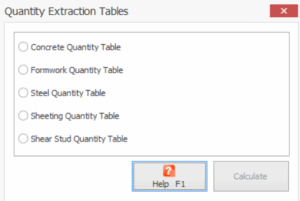
Concrete and formwork quantity estimations can be created at any time, either by clicking on the “Quantity Extraction Tables” icon, or by using the related menu selection under the "Drawings and Reports" ribbon Using these options, related quantity estimations can be viewed, edited, printed and (depending on the table chosen) the information can be exported […]

Read More