Web designing in a powerful way of just not an only professions. We have tendency to believe the idea that smart looking .

Manuals Page

409 result(s) found

Structural Modelling

Building A Model Guideline

Typical steps for the creation of a building model are outlined below. The forms (dialog) for the first three steps will automatically appear when a new project is defined. The best way to learn how to build a new model is to go through our comprehensive e-learning tutorials : ProtaStructure Basic E-learning The training document can […]
Read More
Structural Modelling

Beam Wall Loads Library

The “Beam Wall Loads Library ” is used to create/edit the standard wall loads selectable from the drop down menu on the “Edit Beam Wall Load” dialog. "Beam Wall Loads Library" will be loaded when "Partition Wall Loads " in the "Loading" pulldown is selected. The library consists of 3 tables: “Load Library” – this is a list […]

Read More
Structural Modelling

Working With Slab Column Edge

Curved, Circle & Multi-segment Sketch Line Creating irregular shaped slabs and columns has never been easier with "Slab/Column Edge" tool. The "Slab/Column Edge" is accessible from "Modelling" ribbon. Slab/Column Edge (Polyline) To define multi-segment sketch lines that has arc and straight lines.  Select this function & left-click continuously to form the multiple straight lines or […]

Read More
Structural Modelling

Nonlinear Seismic Isolators

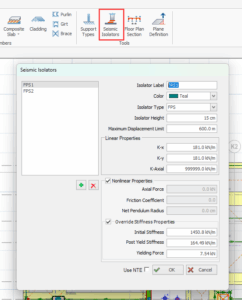
By leveraging our expertise in seismic isolation, we have developed new tools to ensure the final precise design of seismically isolated buildings. The design of earthquake-resistant structures requires expertise in advanced earthquake engineering. Seismic isolation is used to extend the period of the structure above the isolation layer, reducing earthquake forces, storey acceleration and relative […]

Read More
Structural Modelling

Working With Beams Ps 2022

Different Type of RC Beam They are different types of reinforced concrete beam.  The icons are accessible from the Modelling tab, RC Beam drop down list.  Foundation Beam  A foundation beam is a reinforced concrete beam modelled in ST0, which is always the foundation level.   Hence, this icon will only be available if ST0 view […]

Read More
Structural Modelling

Working With Slabs

Defining a New Slab Before inserting a Slab member its reference axes should be defined. To define a new Slab member: Display the storey level in the drawing area which will contain the slab. Press the “Slab” button located in "Modelling" ribbon. Slab "Properties” dialog will appear  If load cases and combinations has not been […]

Read More
Structural Modelling

Seismic Forces On Non Structural Members

Introduction ProtaStructure calculates non-structural member forces according to EC8 Chapter 4.3.5. In the current document, calculations details about non-structural members earthquake force and parameters such as seismic coefficient are explained. Building Model Details The example building model consists of 7 regular floors. 3D and typical story plan view are shown below. Ensure that Building Analysis […]

Read More
Structural Modelling

Load Editor Ps2022

Member Load Editor A new loading framework is introduced which it is more flexible and provides more freedom in terms of load definitions, load orientations, load case assignments, load reporting, and visualization. The Load Editor of any members can be called out once load cases and combinations are generated.  Load Types Select the load type […]

Read More
Structural Modelling

How To Model Inclined Sloping Slab

To create a sloping slab panel you must first define a Plane to align it to. Once the plane has been defined the slab can simply be moved into the new plane.  This method can also be used to model inclined / slanting beams. We will use a simple table top model as illustration  (as […]

Read More
Structural Modelling

Structural Modelling Contents

Techniques for member creation and loading are described in this section. Also described here are those other modelling related functions contained on the “Member” pulldown. Additional modelling related topics can be found in the preceding Graphic Editor Basics section. Modelling, Analysis & Design Flow Chart Building A Model Guideline Working with Axes Working with Columns Working with […]

Read More
Structural Modelling

Working

Defining/Editing a Ribbed Slab Defining a New Ribbed Slab Before inserting a Ribbed Slab member its reference axes should be defined. To define a new Ribbed Slab member: 1.  Display the storey level in the drawing area which will contain the slab. 2.  Press the “Ribbed Slab” button located in "Modelling" ribbon  3.  Edit the […]

Read More
Structural Modelling

Working With Axes

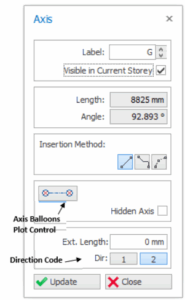
Axis Properties "Axis Properties” will be loaded by selecting the "Grid" icon in the "Modelling" ribbon or by choosing the "Properties" option in the shortcut menu (displayed by right-clicking the mouse) after the selection of an existing axis. A new axis can be defined by specifying the necessary information in the given fields in the […]

Read More