Web designing in a powerful way of just not an only professions. We have tendency to believe the idea that smart looking .

Manuals Page

409 result(s) found

Settings And Parameters

Storey Related Controls And Settings

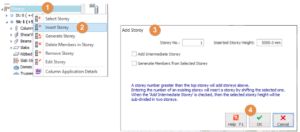
Using the options in the "Building Setout" tab > Storey Operations, storey information can be modified and an active storey can be selected. Alternatively, right-click on "storeys" in the Structure Tree can access the storey operation setting as well. Select Storey The Graphic Editor is organised to let the user work on one storey at […]
Read More
Settings And Parameters

Assessment Settings

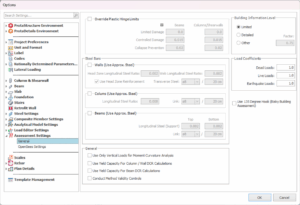
Parameters used in assessment and retrofit of existing building can be access in single location through Building Setout > Settings Center > Assessment Settings.  The parameters shown in settings dialog may change with the selected code. Override Plastic Hinge Limits ProtaStructure will calculate the plastic hinge damage boundaries according to the selected seismic code requirements. […]

Read More
Settings And Parameters

Load Editor Settings Ps 2022

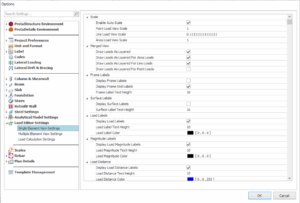
A new loading framework is introduced which it is more flexible and provides more freedom in terms of load definitions, load orientations, load case assignments, load reporting, and visualization. The Load Editor of any members can be called out once load cases and combinations are generated. The setting of the Load Editor can be found […]

Read More
Settings And Parameters

Drawing Settings Ps 2022

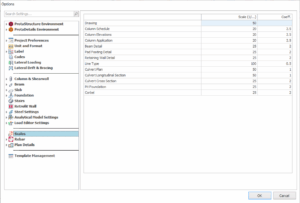
Drawing Settings affects the drawings generated in ProtaDetails such as scales, label settings and etc. It is a good practice to check and preset the settings before generating drawings to save time on manual modification in the later stage. Scales Scales of drawing can be adjusted in this tab. Drawing : This controls the drawing […]

Read More
Settings And Parameters

Layer And Color Settings

Layer and color settings are controlled from here.  The “Layers” form can be loaded by clicking the “Layers and Color Settings” option under the “Building Setout” ribbon. Individual layers can be switched on or off. In the Graphic Editor, members are automatically defined in specified layers according to their member types. Different layers for different member […]

Read More
Settings And Parameters

Template Management Ps 2022

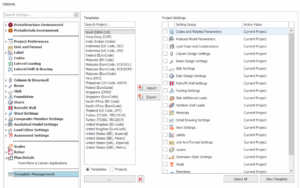
The “Settings Center” is displayed by selecting “Template Management". It can be used to: Establish the initial settings in a new project Review and modify settings in the current project Swap settings between projects Save preferred settings as templates Settings are divided into two main categories in ProtaStructure: System based settings Project based settings System based settings can […]

Read More
Settings And Parameters

Protadetail Environment Ps 2022

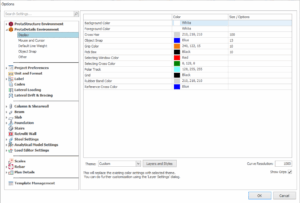
Display This page controls the colour and size settings of the graphic user interface of ProtaDetails.  Colour and size of each entitle can be preset in the table. Alternatively, the theme can be modified using the provided dropdown list. Layers and Styles : Button to open up the ProtaDetails layers settings. Curve Resolution : To increase the […]

Read More
Settings And Parameters

Steel Design Settings Ps 2022

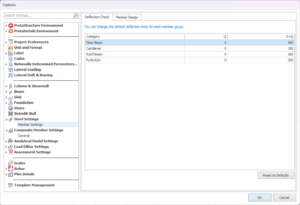
Steel design & composite member setting is important to preset before starting to design any steel or composite steel members. By presetting these design parameters can save a significant amount of time for user compare to user who set after designing steel & composite members. This is to ensure the steel & composite members are […]

Read More
Settings And Parameters

Foundation

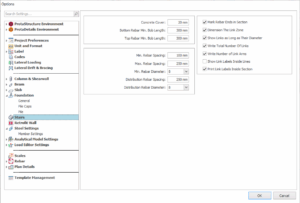
Foundation design setting is the base setting for foundation of each project which can be set prior modelling and designing.  If the model were created, by adjusting parameters in foundation setting will not affect the elements that has already created (unless the foundation elements has been redesigned in its properties settings). After the parameter is adjusted […]

Read More
Settings And Parameters

Design Library Design Settings Ps 2022

Stair Stair design setting for Design Library in ProtaDetails can be preset in this tab. Retrofit Wall Retrofit wall design setting for Design Library in ProtaDetails can be preset in this tab.

Read More
Settings And Parameters

Analytical Model Settings

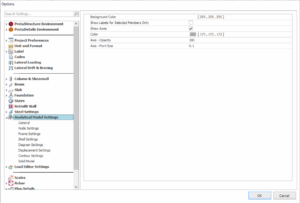
In Analytical Model Settings, user can adjust the graphical and display settings for better visualization. These settings have been arranged and sorted in the corresponding tabs. The same settings can be found in Analytical Model after the Analysis is performed.  General  Node Settings Frame Settings Shell Settings  Diagram Settings  Displacement Settings  Contour Settings  Solid Model 

Read More
Settings And Parameters

Settings Center Overview

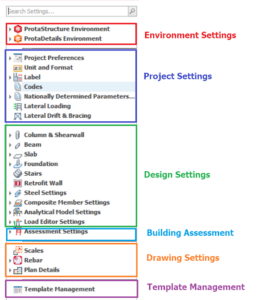
Below are the topics of Settings Center, click the title of the topics will navigate you to the article: Environment Settings :  ProtaStructure Environment ProtaDetails Environment Project Settings / Parameters  Design Settings :  Column & Shearwall Design Settings Beam Design Settings Slab Design Settings Foundation Design Settings Stairs Settings (For ProtaDetails Design Library) Retrofit Wall Settings (For ProtaDetails Design Library) Steel […]

Read More