Web designing in a powerful way of just not an only professions. We have tendency to believe the idea that smart looking .

Manuals Page

409 result(s) found

Modelling & Detailing

General Definitions Tab In Profile Editor

This tab contains information about element type which is a very important parameter used in annotation which can be displayed in graphic editor or engineering drawings, element position and assembly number which may be used by steel detailing software.  Descriptions of the controls and items on the tab are given according to the number displayed […]
Read More
Modelling & Detailing

Setting Up The Workplane Pste

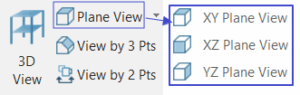
Model View In most of the situation, default generated views are not sufficient. User may create additional view from different perspective using “Model View" option under View (tab). 3D View User can create a new 3D view directly by selecting " 3D View  " command. Once click, a new 3D view will be created. To adjust […]

Read More
Modelling & Detailing

Geometry Tab In Profile Editor

Geometry tab is used for viewing/modifying the geometrical properties of the frame element such as the cross-sectional dimensions, profile type, orientation parameters or the length of the element (for columns only). Nodal connectivity information and element ID number is also displayed on this tab.  Descriptions of the controls and items on the tab are given […]

Read More
Modelling & Detailing

Fast Point Entry

Fast Entry is a mode of editing which can be enabled when necessary. Fast entry increases the point snap capabilities. When the Fast Entry Mode is enabled, you can snap to virtual snap points that are defined at a distance (as specified in the Fast Entry Details Dialog Box) from the real snap points (grid […]

Read More
Modelling & Detailing

Profile Editor

Frame element profile editor is a tabbed dialog box which is used for setting and modifying all properties of all types of frame elements (girls, purlins, etc.). Displaying Frame Element Profile Editor Either double-click on the element for which you want to view/change properties or select it first and press Enter key. Modifying Multiple Elements Simultaneously Select […]

Read More
Modelling & Detailing

Overview Of Coordinate System Workplane Concept

All modeling jobs in ProtaSteel are carried out in a right-handed coordinate system. For the modeling of complicated structures it may be necessary to work with multiple coordinate systems. There are four types of coordinate systems:  World Coordinate System Coordinate System User Coordinate System Element Coordinate System. Element coordinate system is only used for element […]

Read More
FE Analysis of Foundations

Fe Analysis Of Foundations Overview

The foundation system is modelled in the Graphic Editor and can comprise of mats, piled rafts, pads, pile caps and strip footings. All of these foundation types can be analysed in the FE Raft Foundation Analysis module. Prior to FE Raft Foundation analysis, it’s necessary to complete the structural analysis to determine the loads to […]

Read More
FE Analysis of Foundations

Raft Foundation And Piled Raft Foundation Analysis Design Example

Raft Foundation Example This example is based on the "Quick Start Guide Concrete Complete" model which is automatically installed in the default ProtaDataXXXX folder. In this example we will be inserting a raft foundation and then piled raft foundation underneath the shear wall lift core.  The raft foundation is created as slabs and then analyzed […]

Read More
FE Analysis of Foundations

Punching Shear Check For Raft Foundation

Raft Foundation Punching Shear Check Scope & Limitation The scope of the punching shear check for raft foundation are :  Punching shear check can be performed for columns and discrete walls supported on raft foundation. Punching shear check cannot performed for merged core walls supported on raft foundation, as the shear perimeter is irregular.  Punching […]

Read More
FE Analysis of Foundations

Finite Elements Raft Foundation Analysis Ps2022

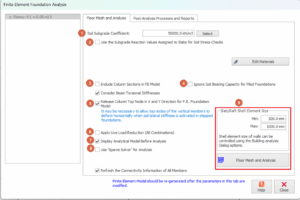
FE Raft Foundation Analysis is only available at the foundation storey (ST-00). It can be accessed by clicking “ FE Raft Foundation Analysis” from the “ Analysis” tab. Prior to FE Raft Foundation Analysis, it is necessary to complete Building Analysis to determine the loads to be used in the raft foundation analysis. Finite Element […]

Read More
Frequently Asked Questions

Marking Of Beam As Cantilever And The Impact On The Analysis Design Of Cantilever Beam

Introduction In ProtaStructure, all cantilever beams should be correctly marked, to ensure correct design & detailing.  During the modelling process, whenever a beam is unsupported at one end, the program will automatically mark it as a cantilever.  A red triangle will appear at the free end of the cantilever, point towards the support as shown […]

Read More
Frequently Asked Questions

Insert Own Sheet Titleblock

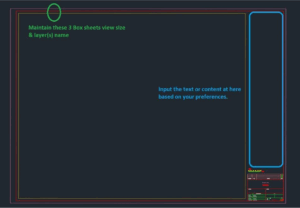
In ProtaDetails, user can select own preferred sheet (titleblock) when generating any detail drawings. To do so, refer to steps below: Go to "C:Users<username>DocumentsProtaLibSheets" and make a copy of Prota original Title Block drawings.  Open the copied Prota title block drawing(s), modify it based on your company preferences and save it after you are done […]

Read More