

Beam To Beam Fixed Connection Macro Example Psteel 2022
Placing the mouse cursor over the Beam to Beam Fixed Connection Macro under Beam to Beam Connections section in Macro Gallery will reveal the tooltip describing the scope and steps of this macro.
How to use it:
- Click the "Beam to Beam Fixed Connection Macro" icon.
- Select the first beam.
- Select the second beam.
- The connection will be automatically created.

Even if, the secondary beams connected to main beams with stiffened end plate macro of fin plate macro, beam to beam fixed macro can also be used.
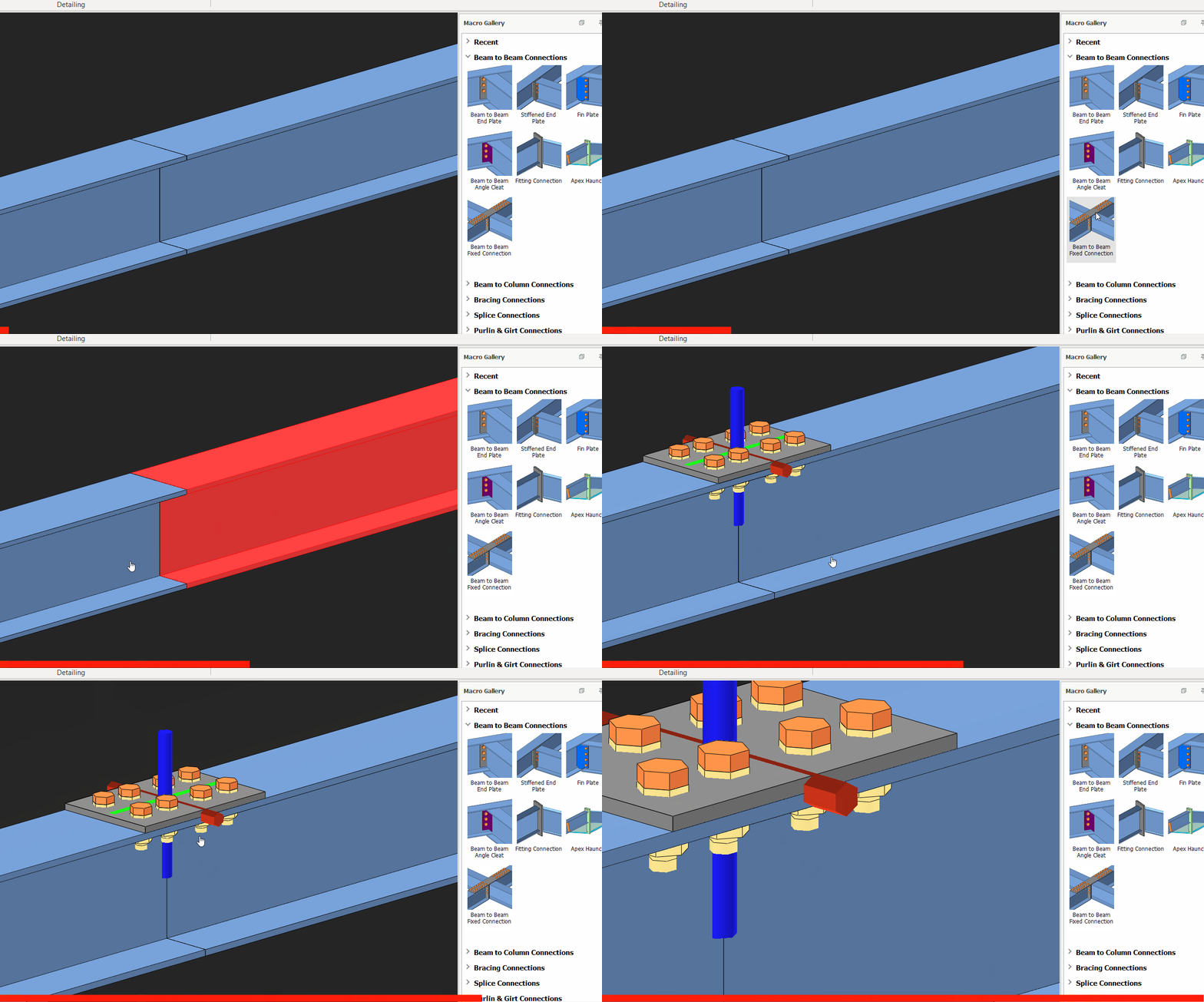

Beam to beam fixed connection macro is only created on the top of the beam flanges.

- Create the most appropriate View first before creating the connection. The same view & orientation will be used to produce the drawings. Click this topic for more details: Creating Views
- Press F9 on the joint to set the point of interest. The view will then rotate about the point of interest.