

Bolted Gusset Plate Connection Macro Psteel 2022
Placing the mouse cursor over the Bolted Gusset Plate Connection Macro will reveal the tooltip describing the scope and steps of this macro.
The below is the example as described in ProtaSteel Basic Training Guide :
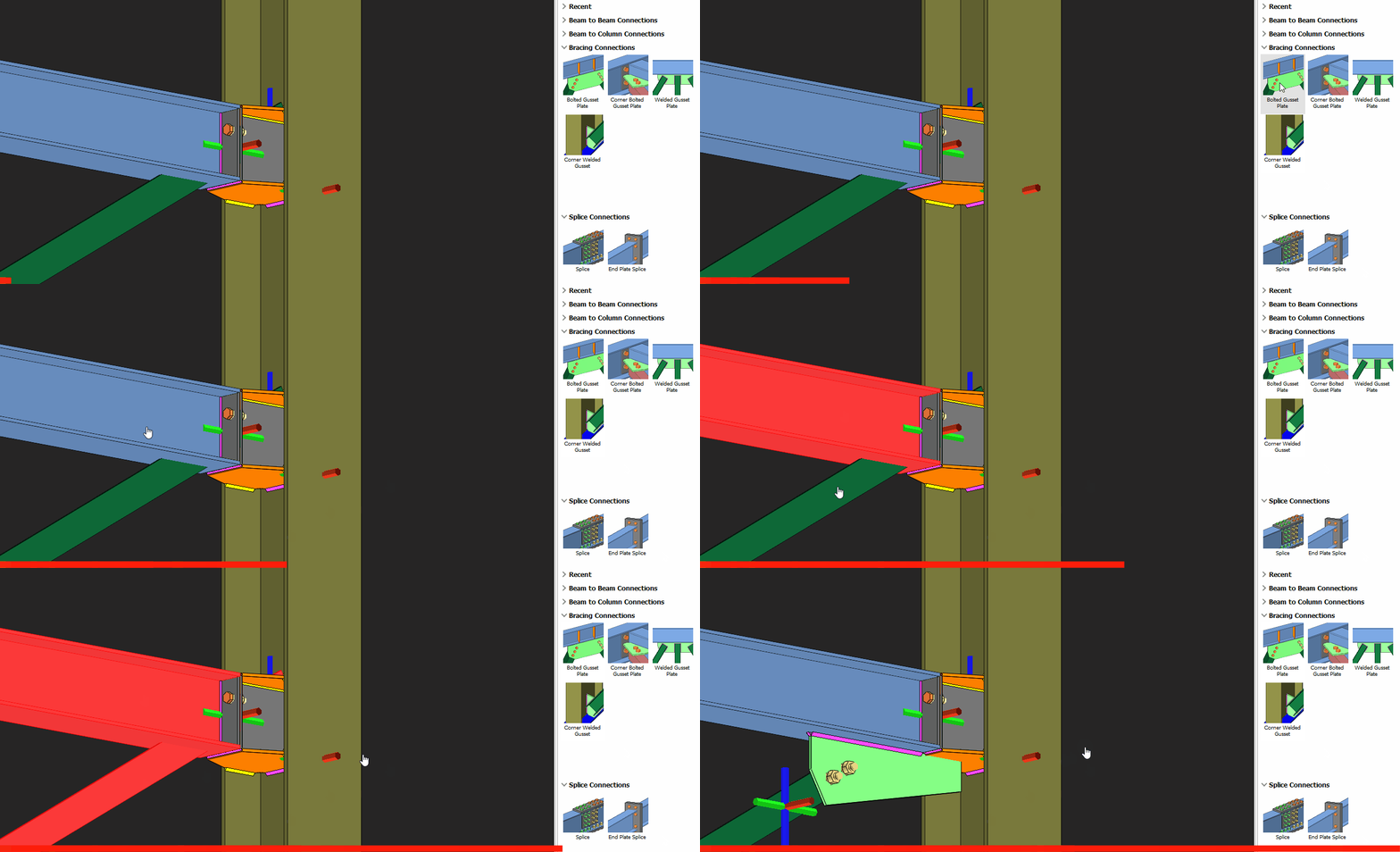
- Pick Bolted Gusset Plate Connection
- Pick the beam
- Pick the bottom brace
- Right-click
A gusset plate connection will be created joining the bottom flange of the beam.
Let’s push back & shorten the green gusset plate so that it ends exactly at the beam end for constructability.
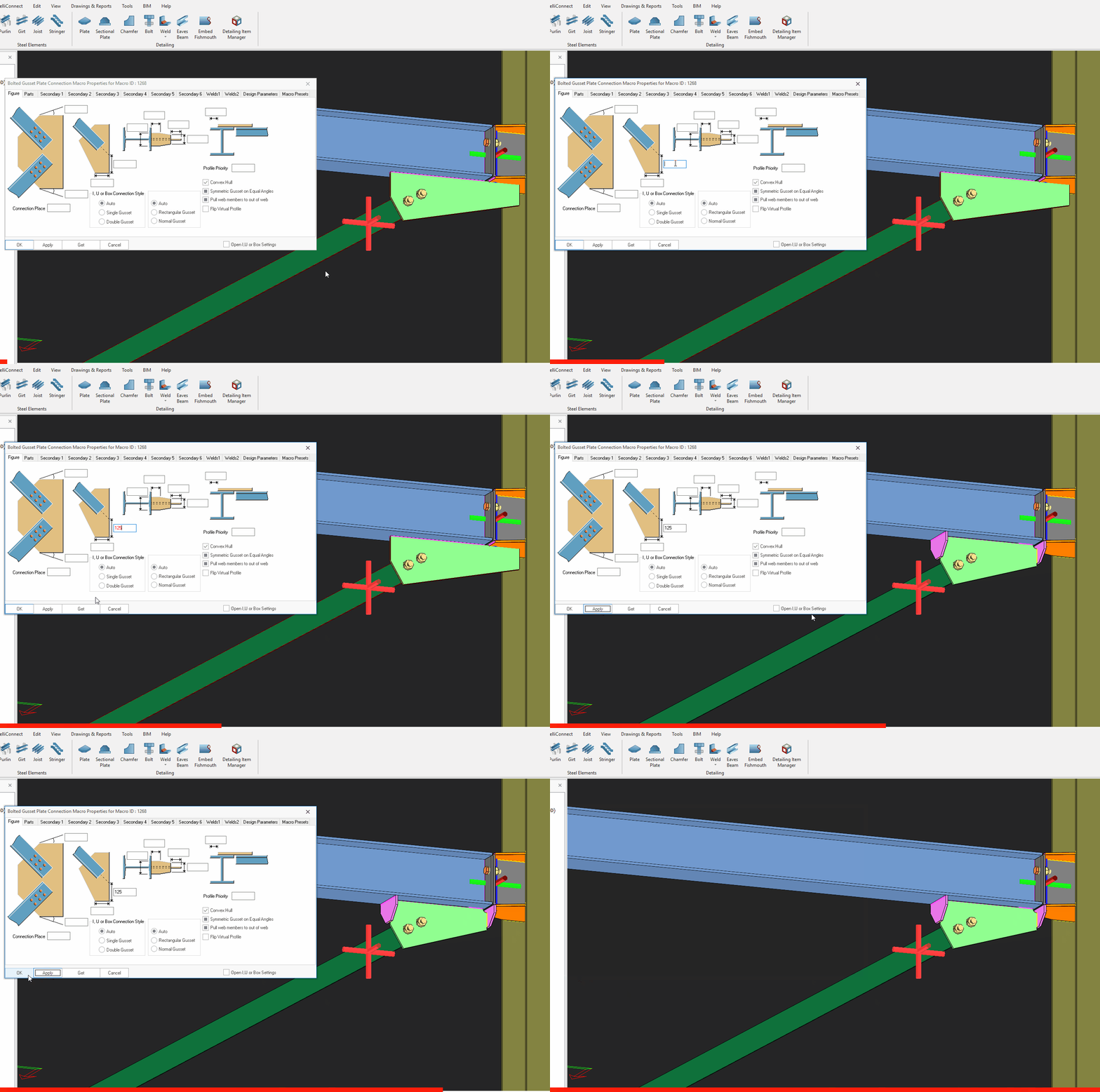
- Select connection macro by selecting the macro sign > Press Enter
- Alternatively select the gusset plate > press “M” > Press Enter (wait for the macro dialog)
- Enter value in the input field.
- Apply.
You can see the plate is shortened and the stiffener plate is added. This is more constructible because the gusset plate & stiffener can be assembled off-site as part of the beam assembly.

- Create the most appropriate View first before creating the connection. The same view & orientation will be used to produce the drawings. Click this topic for more details : Creating new Views
- Press F9 on the joint to set the point of interest. The view will then rotate about the point of interest.
See the video for gusset plate connection.
Watch the video for learning roof brace connections.