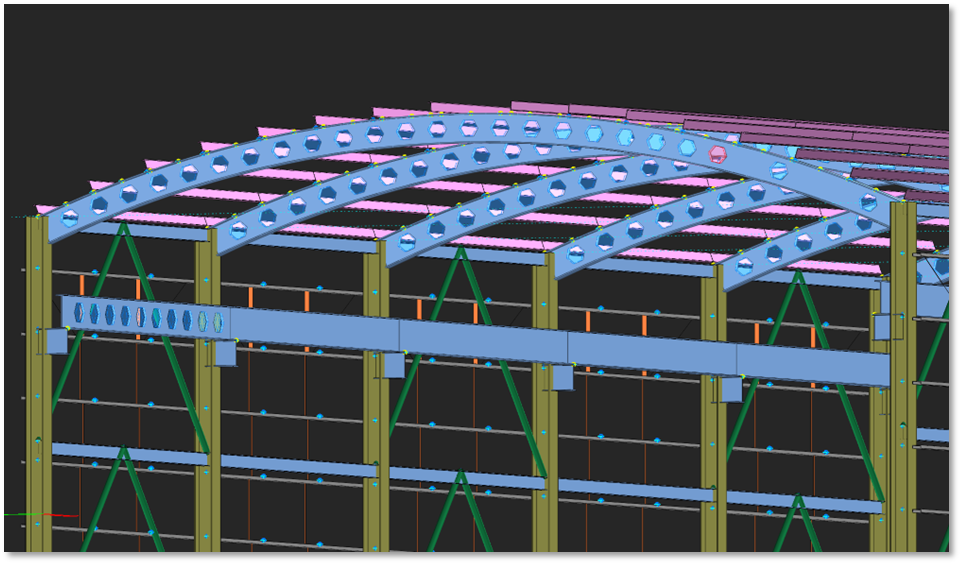
Castellated Beam
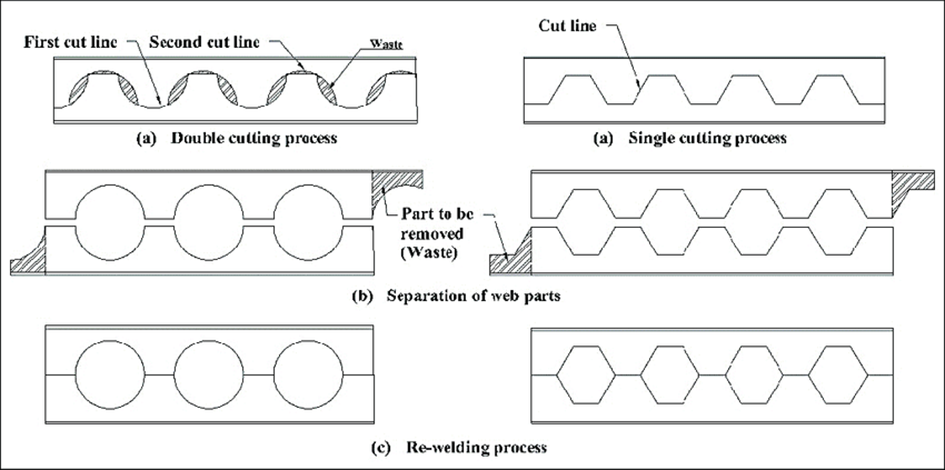
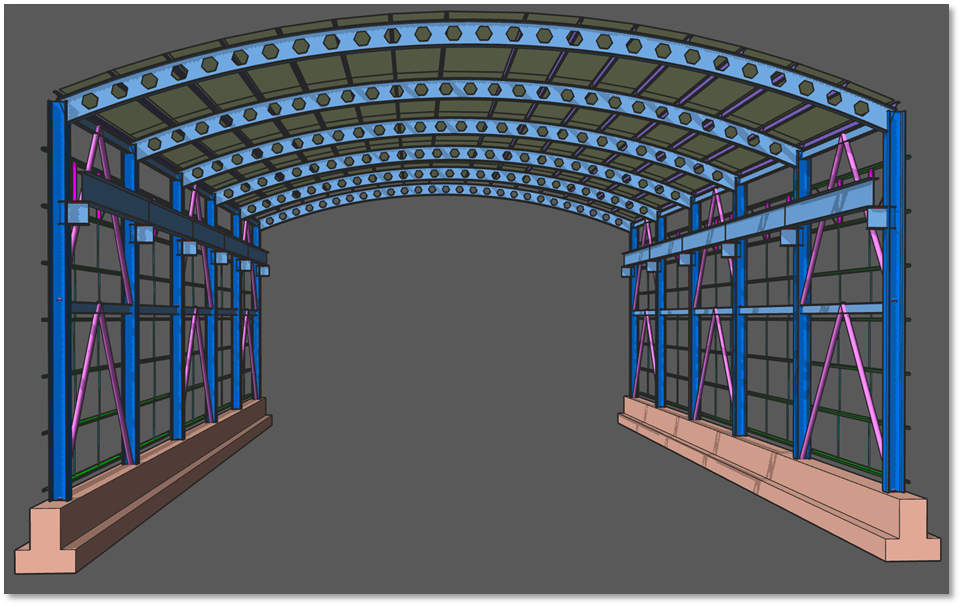
A castellated beam is created by slicing an I-beam longitudinally along
its web in a specific pattern. The goal is to separate and then rejoin the beam
with a deeper web. These beams are categorized based on the shape of the
openings in the web section, with common shapes including hexagonal, circular
(also known as cellular), octagonal, and diamond.
limitations. The openings in the beam web allow for easy passage of piping.
However, these benefits come with trade-offs. The web openings introduce
additional failure mechanisms, necessitating checks such as Vierendeel,
horizontal shear, vertical shear and web post shear buckling. Furthermore, the
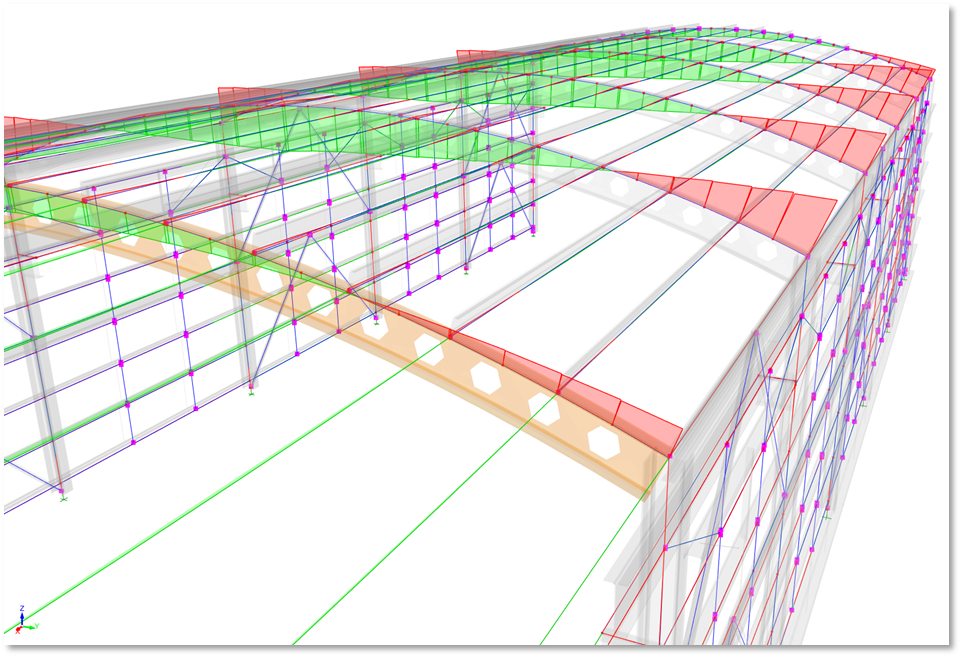
section properties used in finite element analysis differ from those of
conventional solid beams.
Inserting a Castellated Beam
To insert a castellated steel beam:
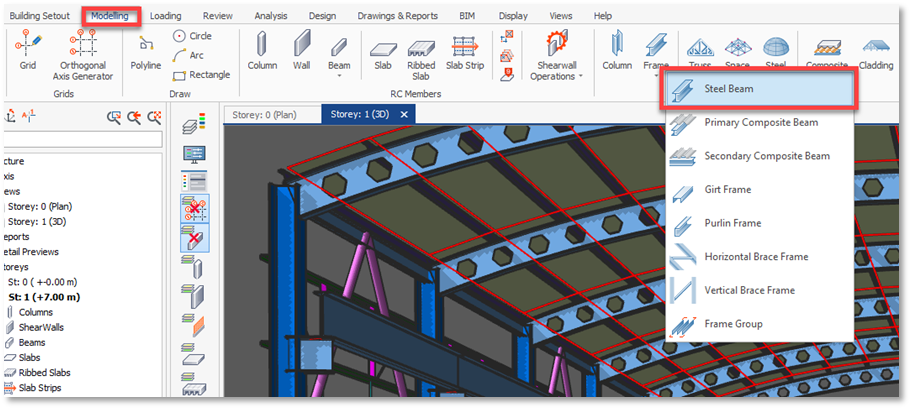
Properties window, switch to Castellated tab.
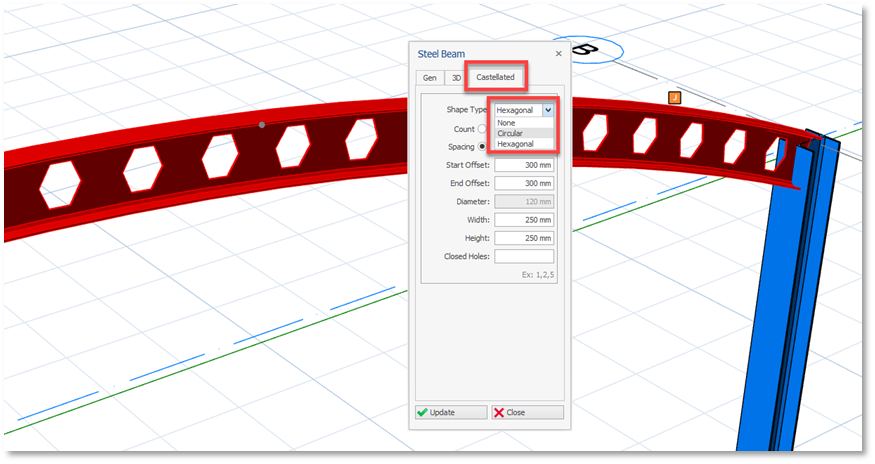

formulations are given for circular (cellular) and hexagonal openings, thus rectangular openings are not supported.
by specifying their Count or clear Spacing. You can also specify Start
Offset and End Offset.
dimensions of the web openings using the Width, Height or Diameter fields.

frame member, choose a hot-rolled profile or built-up profile that will
have the final profile depth.
depth after slicing and welding, then choose, for example, a W18x46 hot-rolled
profile, instead of the original profile before the cut.
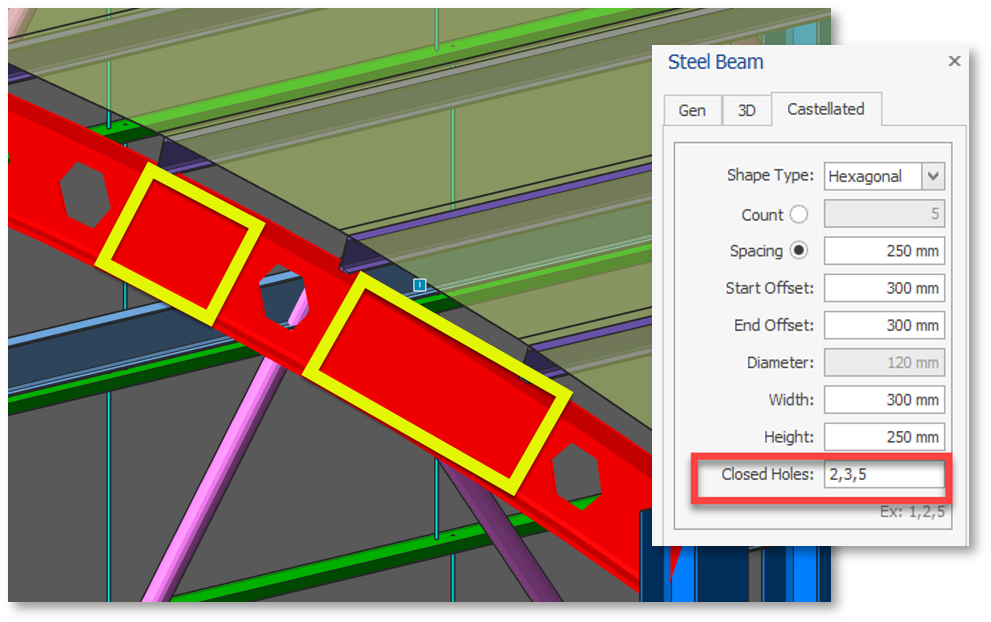
some of the openings, in this case specify the number of openings to be infilled
in respective order. For example, if you want to infill second, third and fifth
opening you can enter 2, 3, 5 in the Closed Holes field. This
does not have any effect on analysis or design. It can be used for detailing
purposes.
Design of Non-Composite Castellated Beams
and cellular beams cannot be treated as solid-web members or members with web
openings. These structural members are highly indeterminate elements, which do
not lend themselves to a simple method of analysis. The following limit states
should be investigated when designing castellated or cellular beams:
- Compactness and local buckling
- Overall beam flexural strength
- Vierendeel bending of tees
- Web post buckling
- Axial tension/compression
- Horizontal shear
- Vertical shear
- Lateral-torsional buckling
The first step in designing both castellated and cellular beams is to
calculate the overall bending moment and shear force at each opening and web
post caused by external loads. These forces will be referred to as global
forces. The global forces will be used to compute localized forces in the top
and bottom tees, the web posts, and the gross section. The components (tees and
web posts) of the beams will then be examined for failure under the localized
forces.
and Turkish Steel Design Code.
currently supports only the non-composite castellated beams.
[Reference: AISC Design Guide 31 – Castellated and
Cellular Beam Design]
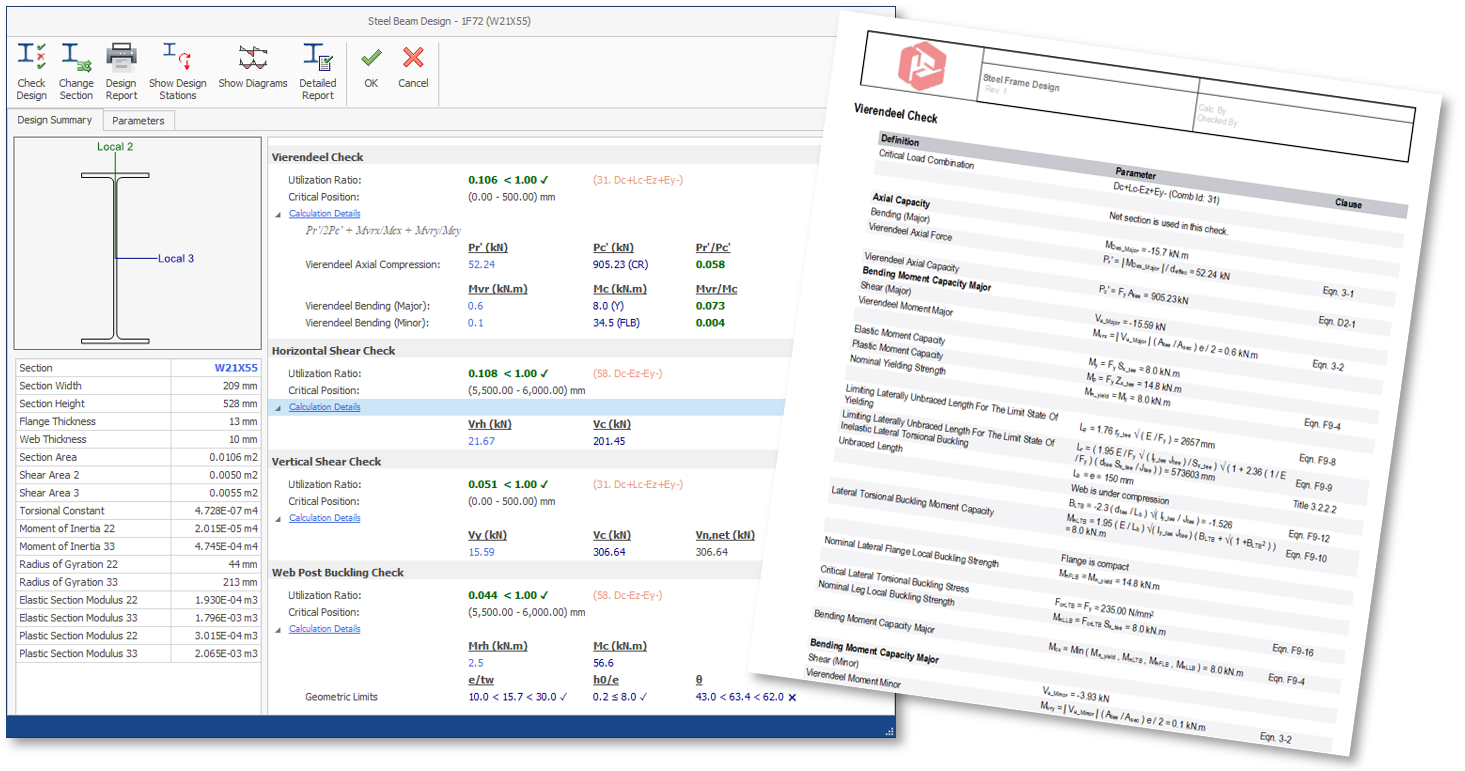
Castellated Steel Beam Design UI and Detailed Report in ProtaStructure
Detailing
detailing. Openings are defined by cut object, so you can modify them easily if
needed.