Fast Point Entry
Fast Entry is a mode of editing which can be enabled when necessary. Fast entry increases the point snap capabilities. When the Fast Entry Mode is enabled, you can snap to virtual snap points that are defined at a distance (as specified in the Fast Entry Details Dialog Box) from the real snap points (grid intersection points, nodes or construction points, midpoints of frame elements).
How to use Fast Entry
- Click on any of the element creation icon, eg. joints, plate, etc.
- The mouse cursor should cross hair +, which means a point selection is expected
- Press "ENTER" & the fast entry box will appear
- Click "…" to expose the full dialog box with explanation of the command, the available methods for fast point entry:
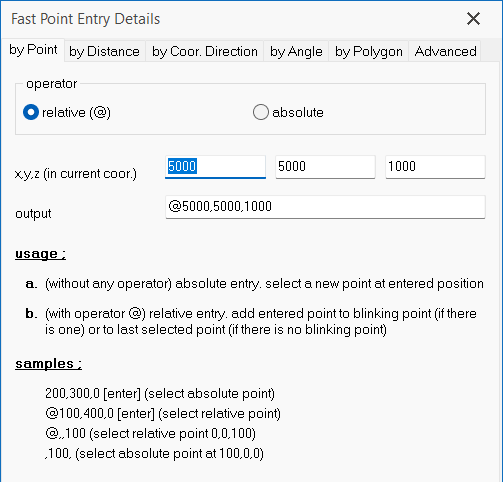
- By Point
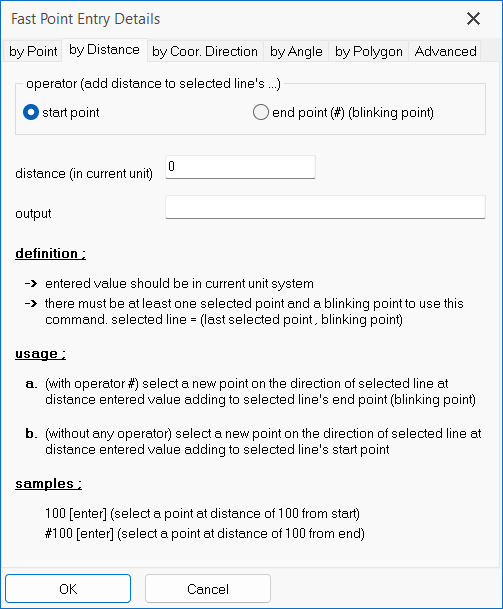
- By Distance
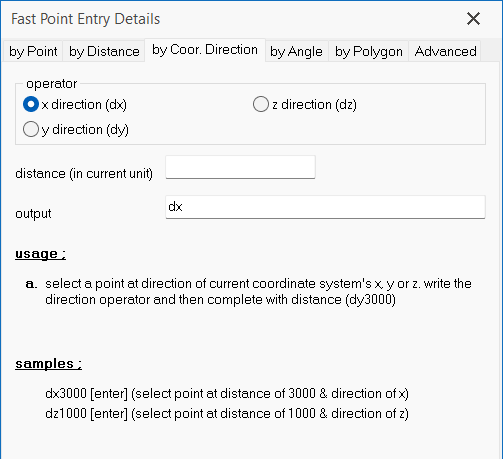
- By Coordinate Direction
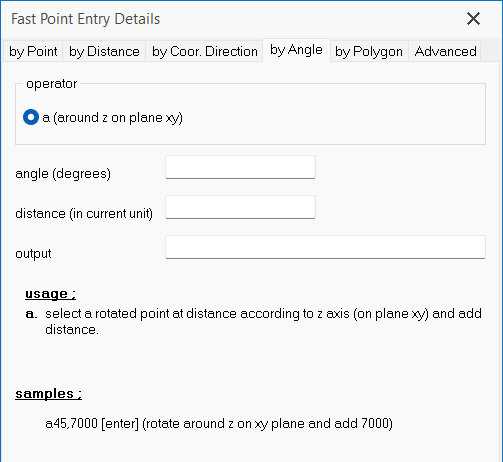
- By Angle
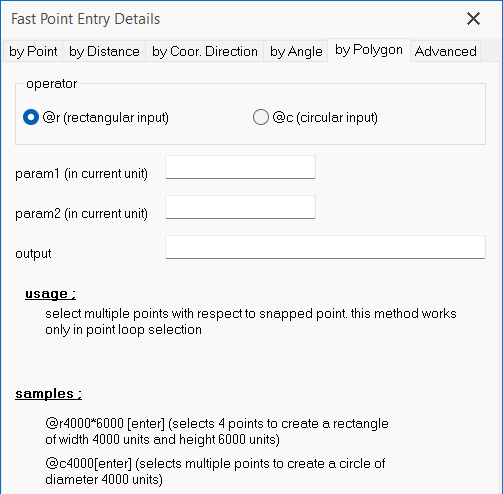
- By Polygon (for create plate only)
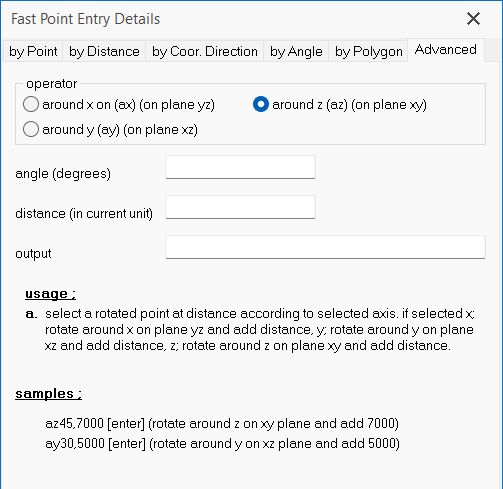
- Advanced
- Key in the required values and press OK
- Depending on what option is chosen, the next action can be ENTER to confirm the point OR
- To place the mouse cursor on a reference point & then press ENTER
Fast Entry works hand in hand with Auto Snap Settings (CTRL + B). Hence, review the Auto Snap Settings before using the Fast Entry Mode. By Point
By Distance
By Coordinate Direction
By Angle
By Polygon
Advanced