


How To Raise Or Drop A Beam In Elevation
By default, the top of the beam is always assumed to be atop of the storey in which the beam is modelled. To change the elevation of the beam, i.e. to lower or raise it from default, there are 2 methods :
- Use e-z input in the Beam Properties > General tab
- Use delZ input in the Beam Properties > 3D tab
Method 1 : Use e-z input in the Beam Properties
In the example model below, all the 3 beams in the right hand side are lowered (dropped) by 300mm.
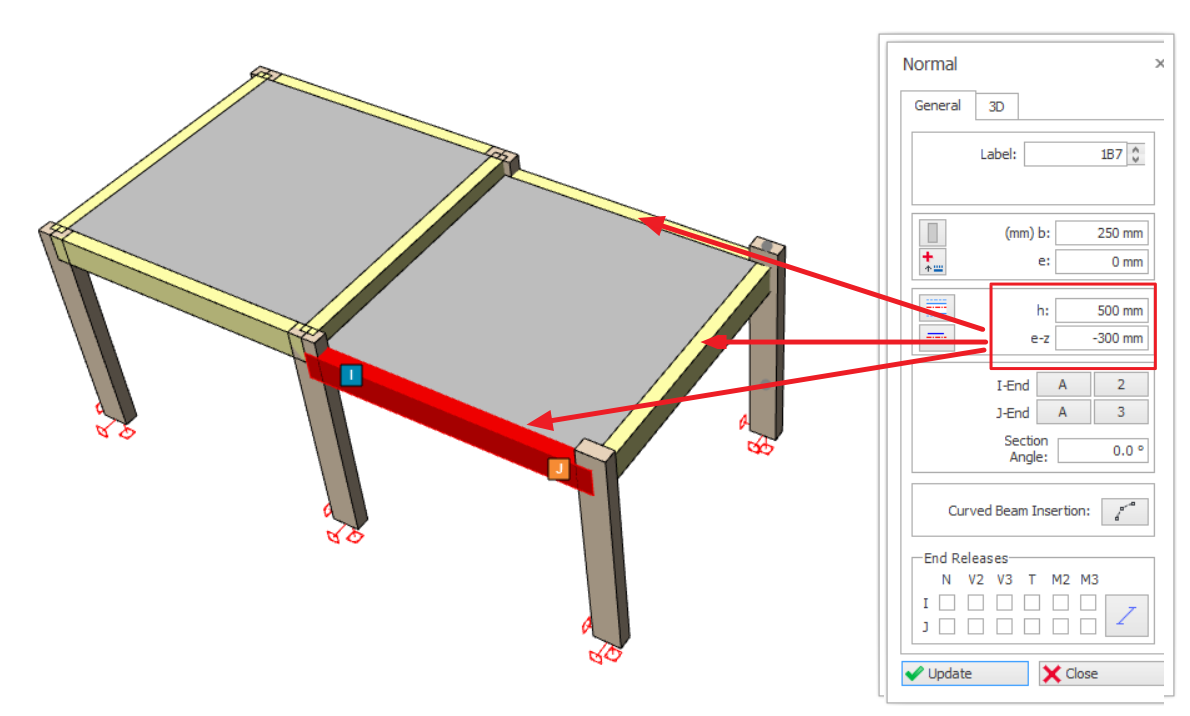
This is done by accessing the Beam Properties > General tab :
- e-z = -300mm
- h = beam depth = 500mm
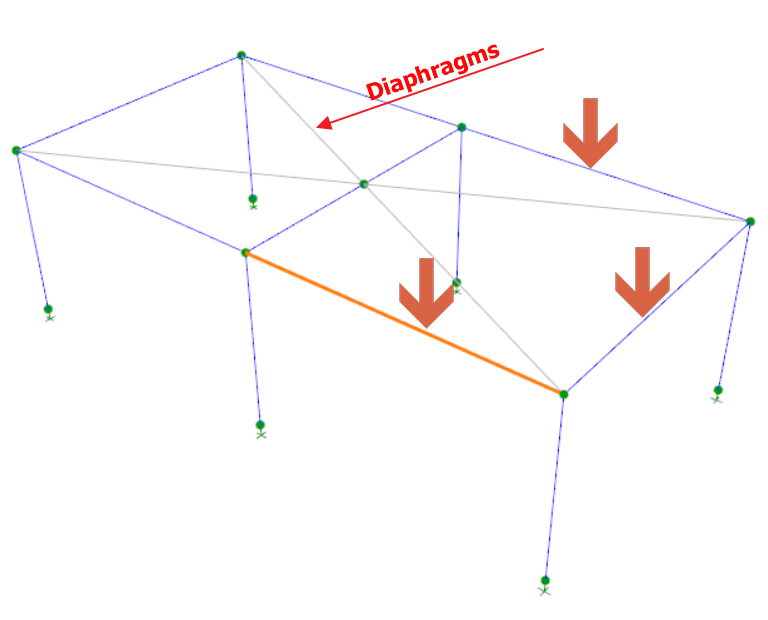
- The analytical wire frame elevation of the lowered beams remains at the same elevation (no change).
- The slab rigid diaphragm (grey lines) is created in the same floor plane and will constrain all the beams including the “lowered” beams as expected.
- This means that all beams cannot shorten, elongate or bend in the plane of the slab and hence there will be no axial force, minor bending or minor shear in all the beams for all load cases.

Method 2 : Use delZ input in the Beam Properties
Using the same model, the beams can be lowered using the alternative delZ method.
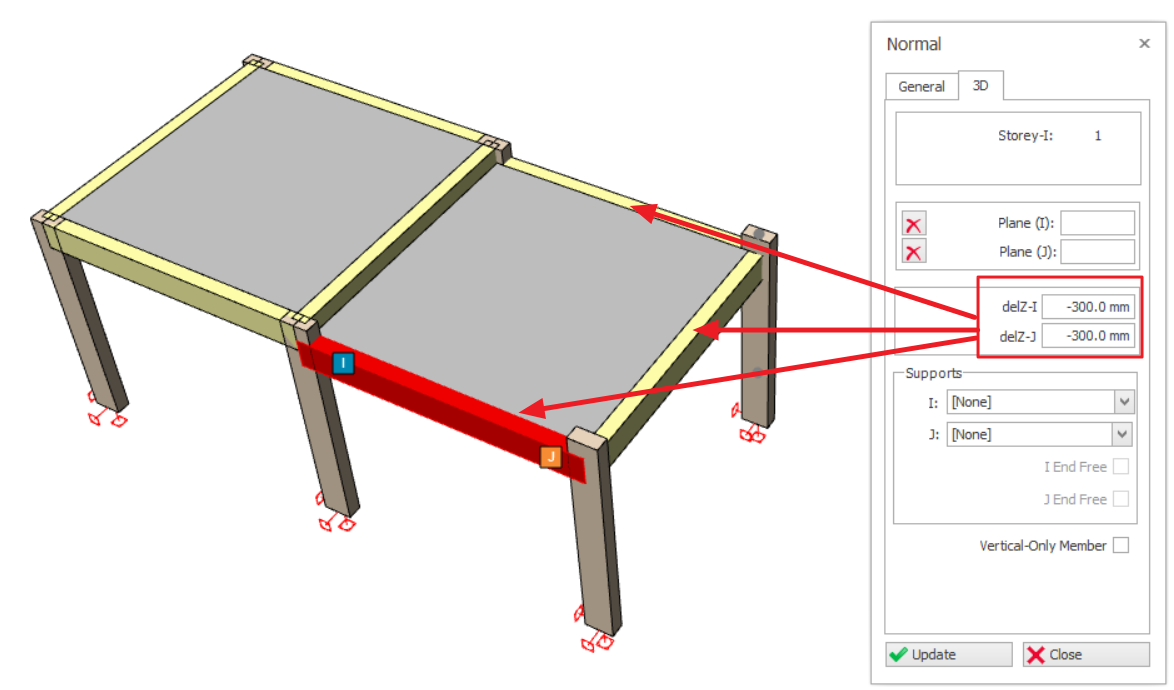
This is done by accessing the Beam Properties > 3D tab :
- delZ -I = -300 (means lower the left end elevation of the beam by 300mm)
- delZ -J = -300 (means lower the right end elevation of the beam by 300mm)
The slab is similarly lowered by the same amount by entering Rel. Level = -300mm in the Slab Properties. Also, option "Apply Z to Analytical Model" in ticked to ensure the slab diaphragm is dropped analytically.
Run building analysis and access the Analytical Model to examine the analytical wire-frame and results (as shown below) :
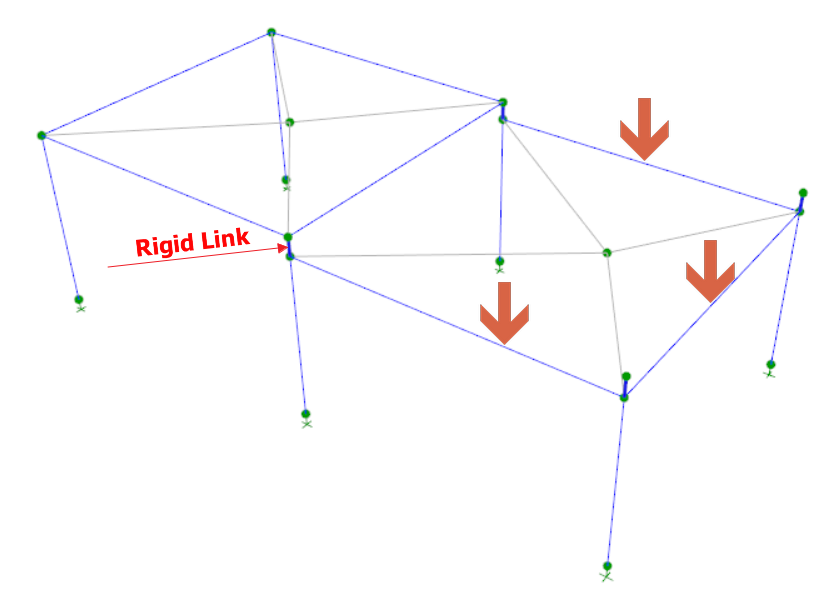
- The analytical wire frame elevation of the lowered beam is considered (lowered by 300mm).
- Rigid link (dark blue) auto-created at the drop location, resulting in increase of stiffness at this beam column joint.
- Separate slab rigid diaphragms (grey lines) are created because option "Apply Z to Analytical Model" in ticked in slab properties.
- The slab diaphragm will constrain the beams in the same plane to prevent any axial forces, minor shear or minor bending forces from developing.