

Ifc Sg In Protastructure
From ProtaStructure 2025 version onwards, models can be exported to IFC+SG format complying
to Singapore CORENET X Code of Practice.
to Singapore CORENET X Code of Practice.
IFC+SG is extended version of IFC4 which introduces new representations for Singapore localized regulatory requirements. For details, users can refer to CORENET X website : https://info.corenet.gov.sg/.
Export IFC+SG
Firstly, ensure the structural elements and foundations are
all analyzed and designed properly.
all analyzed and designed properly.
- Click on the following design topics for details : Column/Wall Design, Beam Design, Slab Design, Foundation Design.
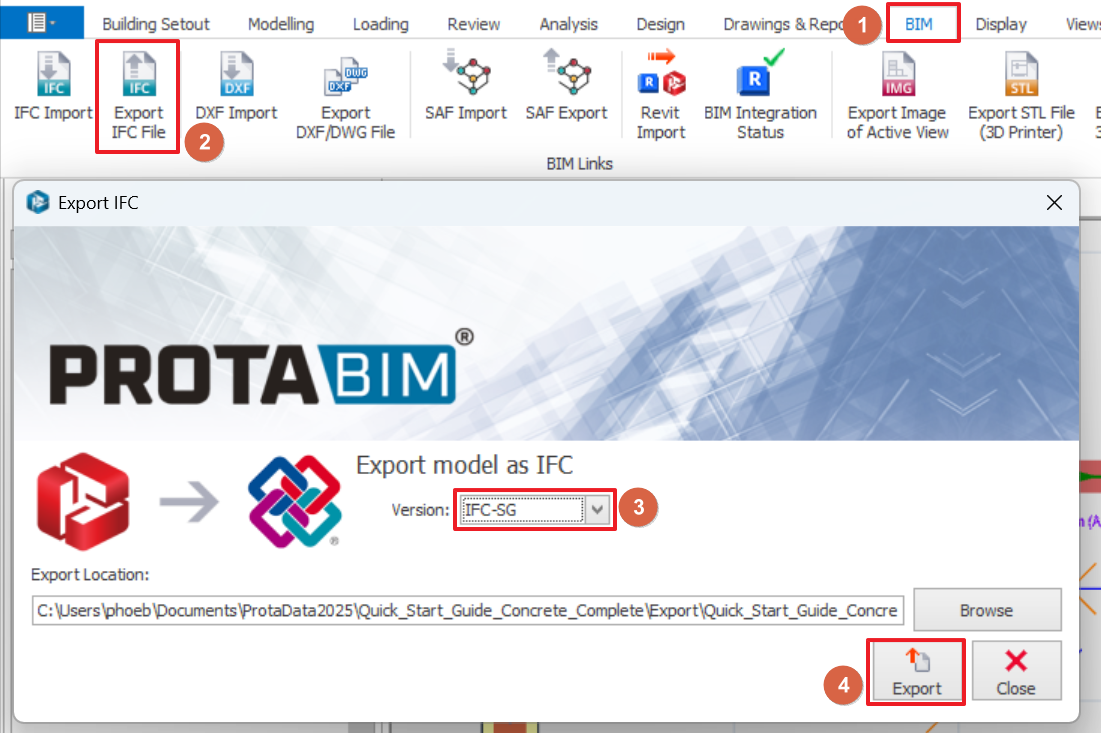
To export your model in the IFC+SG format, click on "Export IFC File" option under the BIM tab to export your model as an IFC+SG file.
- Go to BIM tab and click on "Export IFC File".
- Ensure "IFC-SG" version is selected.
- Click on "Export" to export the IFC file.

Scope / Limitation
Some IFC+SG entities parameters may not be available for export due to limitations in program or the absence of relevant information. As a result, these entities parameters may appear in the exported IFC file with default values such as "False", "N/A", "0" or may be applicable.
For example, the "Left Connection Type" parameter in IfcBeam will appear as "N/A" in the exported IFC file because connection design is not applicable for concrete beam.
IFC+SG with 3rd Party App
After exporting the IFC+SG file from ProtaStructure, it can be imported into other BIM software for viewing, verification, or updating of incomplete information (if any).
A few third party BIM software is mentioned in CORENET X website : https://info.corenet.gov.sg/.
Please note that each BIM software has its own process for importing IFC files and performing further editing. For detailed steps, refer to the official documentation or website of the respective BIM software.
IFC+SG with BIMvision
BIMvision is a freeware IFC model viewer (https://bimvision.eu/). You may use it to check or review the exported IFC+SG file.
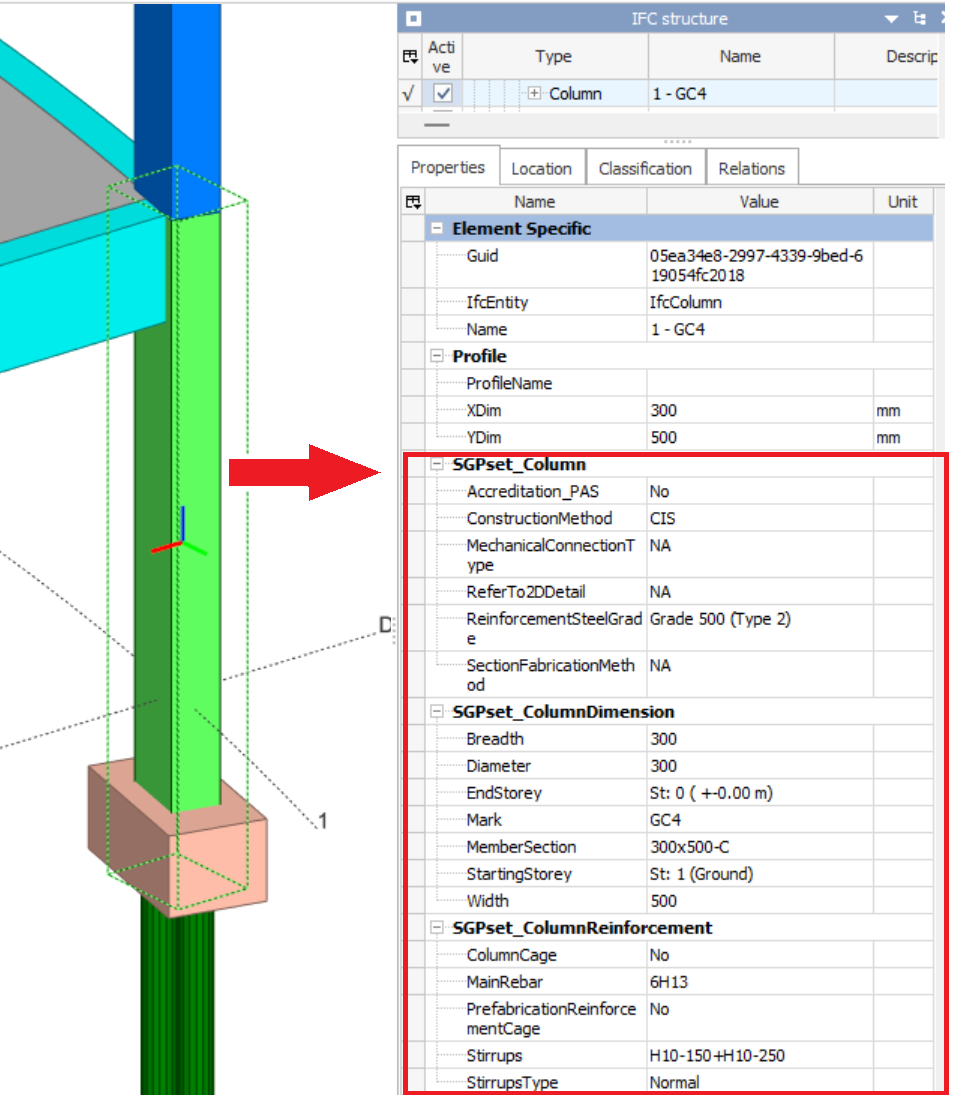
To view the IFC parameters of a model element in BIMvision :
- Open exported IFC+SG file in BIMvision.
- Select any model element by clicking on it in the 3D view.
- The Properties panel on the right-hand side will display all IFC-defined parameters associated with the selected element (example for a concrete column below).
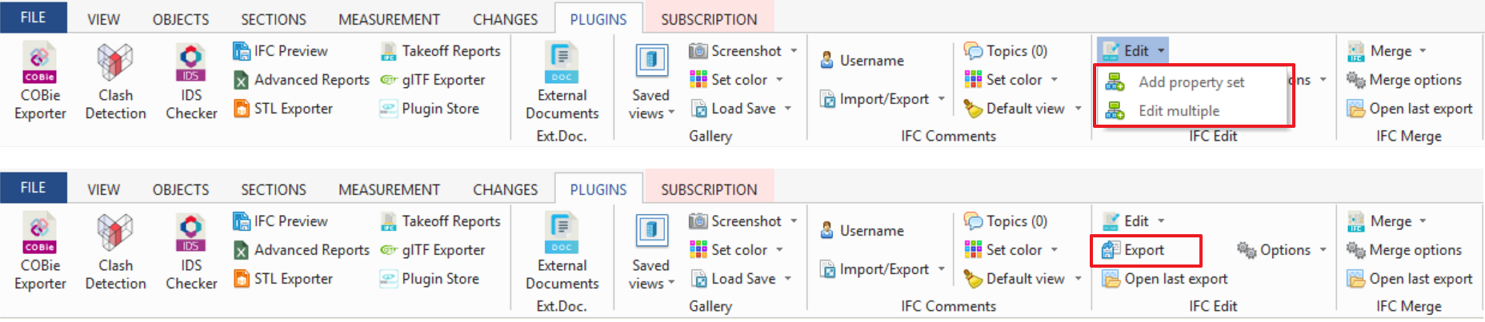
To edit an imported IFC+SG model in BIMvision, the plugin "IFC Edit" is required. The plugin allows you to modify IFC-defined parameters of model elements and export the updated model back into IFC format (refer to snapshot below as reference).
Disclaimer note : BIMvision is not affiliated to Prota in anyway, hence we are neither promoting nor endorsing the software.