


Introduction 22 10 2018
ProtaSteel is a steel detailing module that works seamlessly with ProtaStructure. It is included and automatically installed with the main ProtaStructure installation setup.
The main steel model must be created in ProtaStructure, i.e. steel beams and columns, trusses, girts, brace & purlins.
ProtaSteel must be started from within ProtaStructure, i.e. it cannot be launched from the desktop.
Please refer to the ProtaSteel Basic Training Guide for basic guidance how to quickly get started with an example steel model.It is advisable to complete the quick start guide before proceeding to the reference manual.
To export ProtaStructure Model to ProtaSteel :
- Model, analyse & design the steel members and save the project in ProtaStruture
- Go to Drawings & Reports (top menu) > Choose either options :
- ProtaSteel for complete model transfer OR
- Partial Update for transfer only the selected part of model

Partial Model Update from ProtaStructure
ProtaStructure and ProtaSteel enjoy a seamless data communication and update system. You can update the model in ProtaStructure and reflect the changes to ProtaSteel seamlessly even if you finished connecting and editing your model.
However, as the size of the model increases, the update operation can start taking time. That’s because all the members and connections need to be checked. And connections need to be adjusted to their new location or size if an update was necessary.
With the latest ProtaSteel, you can now select a subset of members in ProtaStructure and update only selected members in ProtaSteel. That will accelerate your design process when you need small partial updates.
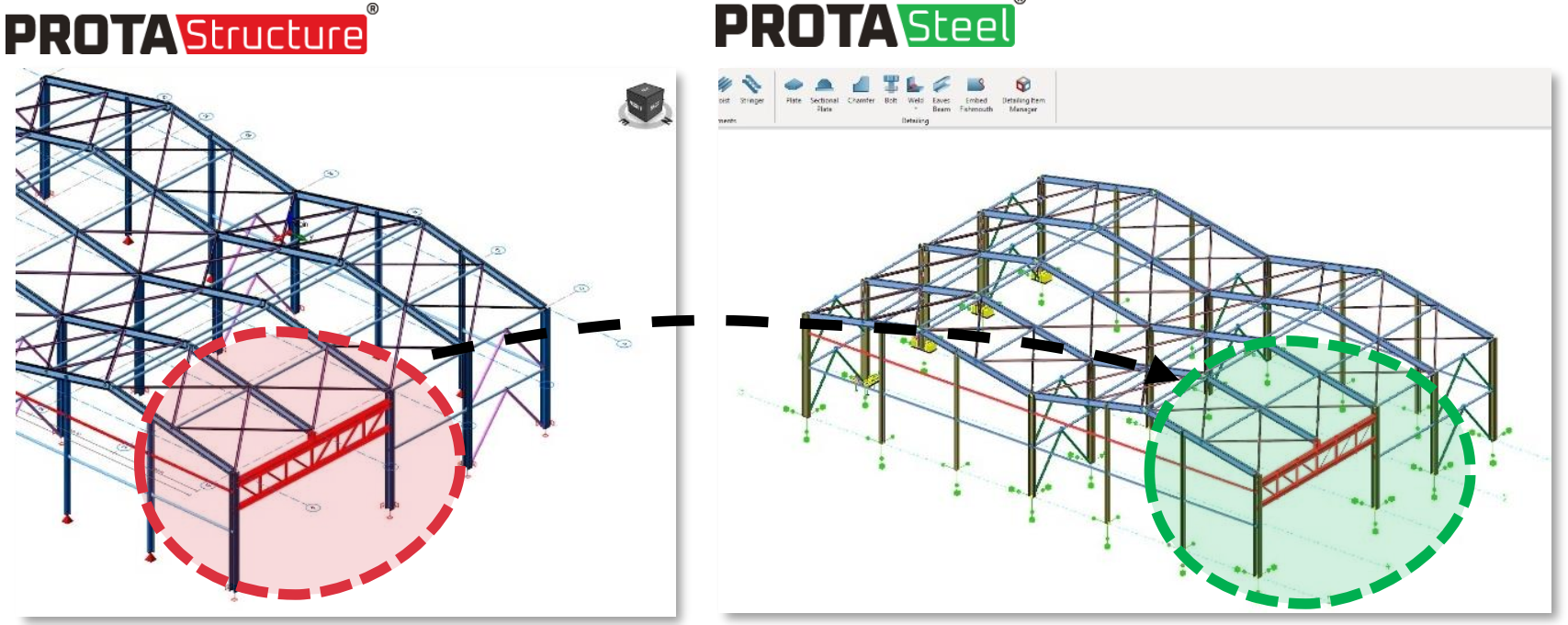
ProtaSteel will start with and export the model. During the export process, an audit log will be created & displayed which may reveal warnings & errors. These information are mostly self-explanatory. It is recommended that errors be solved – if you have doubts on the course of action, kindly contact the support team.
If there are concrete members, they will still be exported to maintain model integrity but information such as labels & reinforcement is unavailable. Hence, please use ProtaDetails to produce concrete members details & drawings.
ProtaSteel Folder
Once the model is imported into ProtaSteel, a subfolder call “ProtaSteel” will be created in the ProtaStructure project folder. The folder will contain the following :
- ProjectName.CDF : This is the intermediary file used to communicate model data
- ProjectName_ImportErrorLog : This is the audit log file to record any warnings / errors during the import operation.
- ProjectName folder : This is the main ProtaSteel project folder where all the project files & folders are stored. Please refer to the article Project Directory.
ProtaSteel Capabilities and New Features
Alternatively, if the video is not working, you may access the video via: https://www.youtube.com/playlist?list=PLK6L9NVEbzK8RAbm60vOu8tgkgK3kFC-_