

Multiple Stiffened Web Opening Macro Psteel 2022
In ProtaSteel,
"Multiple Stiffened Web Opening Macro" can be used for multiple opening on the web of a profile. Placing the mouse cursor over the
"Multiple Stiffened Web Opening Macro" under "Detailing" section in Macro Gallery will reveal the tooltip describing the scope and steps of this macro.
"Multiple Stiffened Web Opening Macro" can be used for multiple opening on the web of a profile. Placing the mouse cursor over the
"Multiple Stiffened Web Opening Macro" under "Detailing" section in Macro Gallery will reveal the tooltip describing the scope and steps of this macro.
How to use it:
- Click Multiple Stiffened Web Opening icon under Detailing Category.
- Select the profile.
- Right Click.
- The web openings will be automatically created.
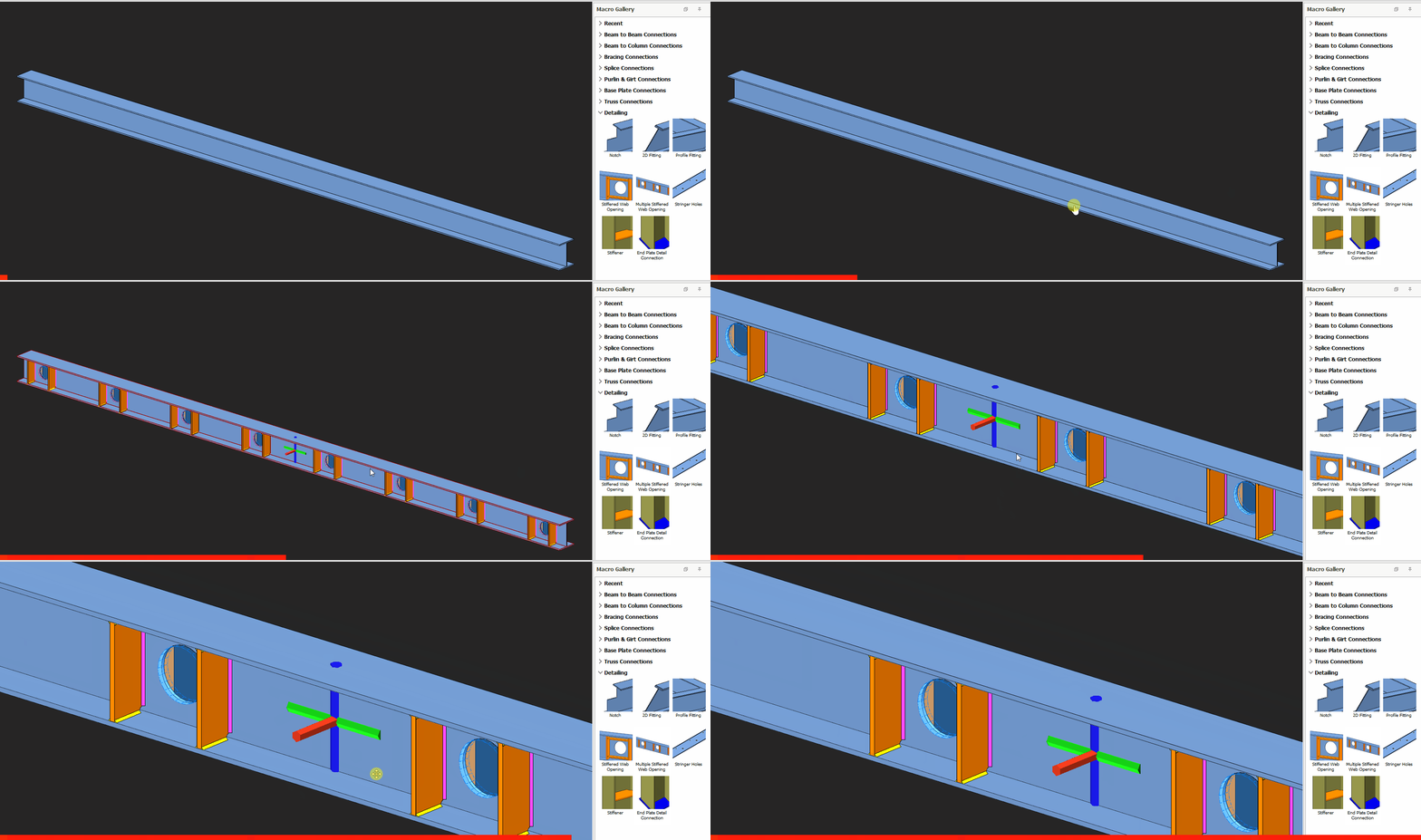
There are 3 types for the hole types like
"Stiffened Web Opening Macro"
.
"Stiffened Web Opening Macro"
.
- Circular Hole
- Rectangular Hole
- Hexagonal Hole
Placement methods can be changed from the "Placements" tab which has 3 methods.
- Spacing
- Count
- Variable Distances
Spacing, start and end offsets, opening counts are set in the Macro Properties.

This macro only applicable to U and I sections.

- Create the most appropriate View first before creating the connection. The same view & orientation will be used to produce the drawings. Click this topic for more details: Creating Views
- Press F9 on the joint to set the point of interest. The view will then rotate about the point of interest.