

Notional Load And Input 23 11 2021
Create Notional Horizontal Load Cases and Combination
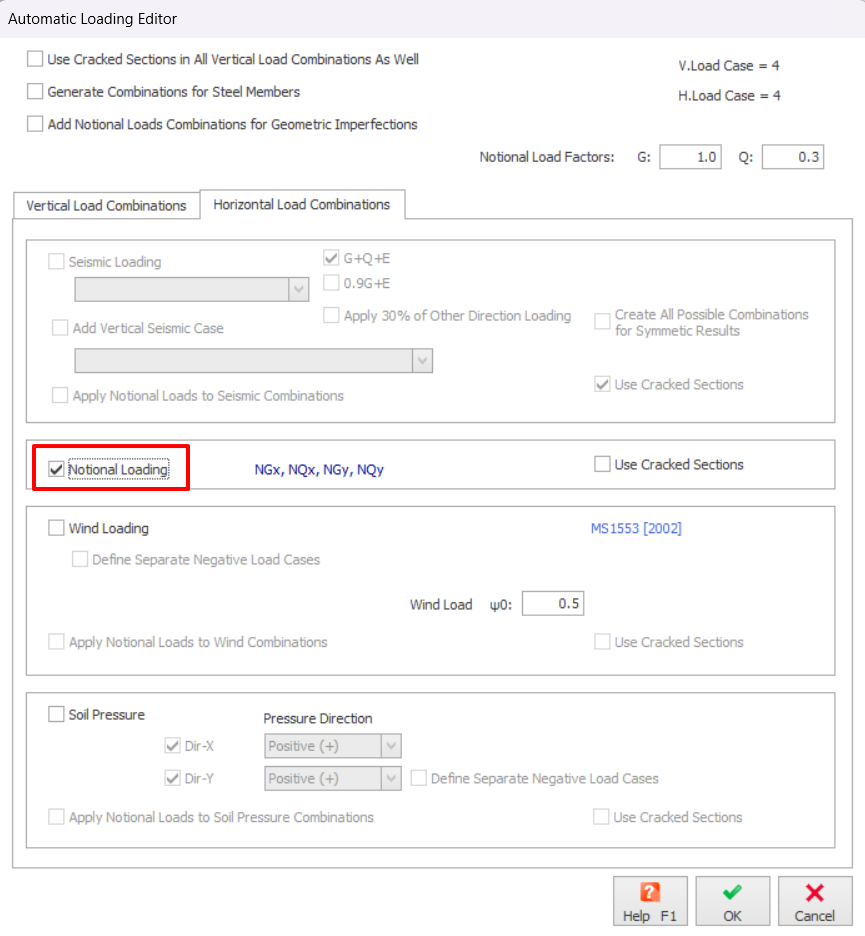
To add Notional Load to the model, the Notional Load Cases and Load Combinations shall be generated: Analysis > Building Analysis > Pre-Analysis > Loading Combinations> Loading Generator > Horizontal Load Combinations, check the Notional Loading.
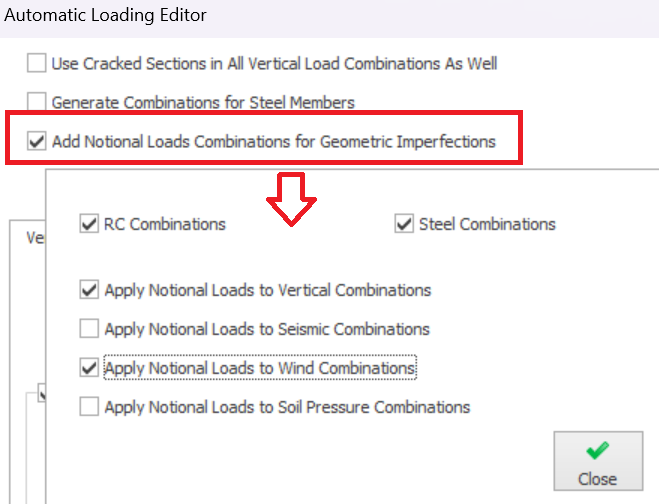
For certain code of practice, example EuroCode, you can add notional horizontal load to consider Geometric Imperfections by checking on option "Add Notional Load Combinations for Geometric Imperfection", then choose the vertical or lateral load type to add (as shown below).
Define the Notional Load Design Parameters
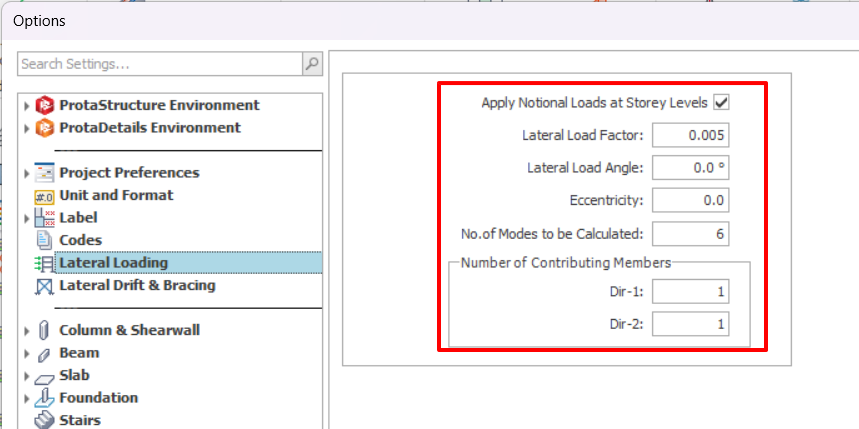
To check or modify the parameters of Notional Loading: Options > Lateral Loading tab.
Evaluate the Applied Notional Load
To evaluate the automatically calculated, Building Analysis must be first completed.
To view the applied Notional Load to each storey, go to Analysis tab > Building Analysis > Pre-Analysis > Wind and Storey Load.
- In this case 0.5% of self-weight of each storey is applied at the center of mass (CG) of each storey.
- The value of Nx and Ny are obtained from mass of the storey (shown in Axial Load Comparison Report) multiplying with 0.5%

For Eurocodes, the notional load factor is further multiplied by factors calculated based on EN1992-1-:2004, cl. 5.2 (5), Eqn. 5.1
The values of Nx and Ny in "Wind and Storey Loads" cannot be adjusted. You can only change both values by adjusting the "Lateral Load Factors" in "Project Parameters".
View the Applied Notional Load Graphically
To check the applied notional load in the Post-Analysis > Display Analytical Model > Click the Nx or Ny from the load cases.
The loads will be shown as nodal loads applied at the center of diaphragm for each floor.