Pile Working Load
Working Load
Pile Working Load will calculate the allowable pile structural compression and geotechnical capacities. Refer to following steps to calculate the pile working load:
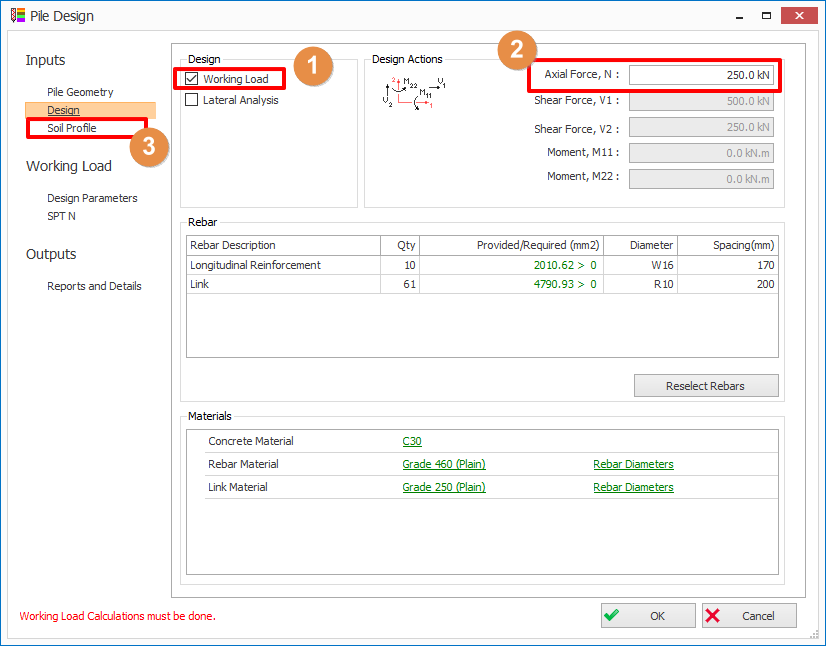
- Check the Working Load in the Pile Design > Design tab
The Soil Profile and Working
Load tabs will be visible on the left panel. Also Design Actions group box will be visible at the bottom-right corner
of the form. In Working
Load tab, there are two sub-tabs: Design
Parameters and SPT N - Enter Axial Force value.
- In Soil Profile tab,
update the soil profile based on the bore log in the soil investigation report.
Define Soil Profile
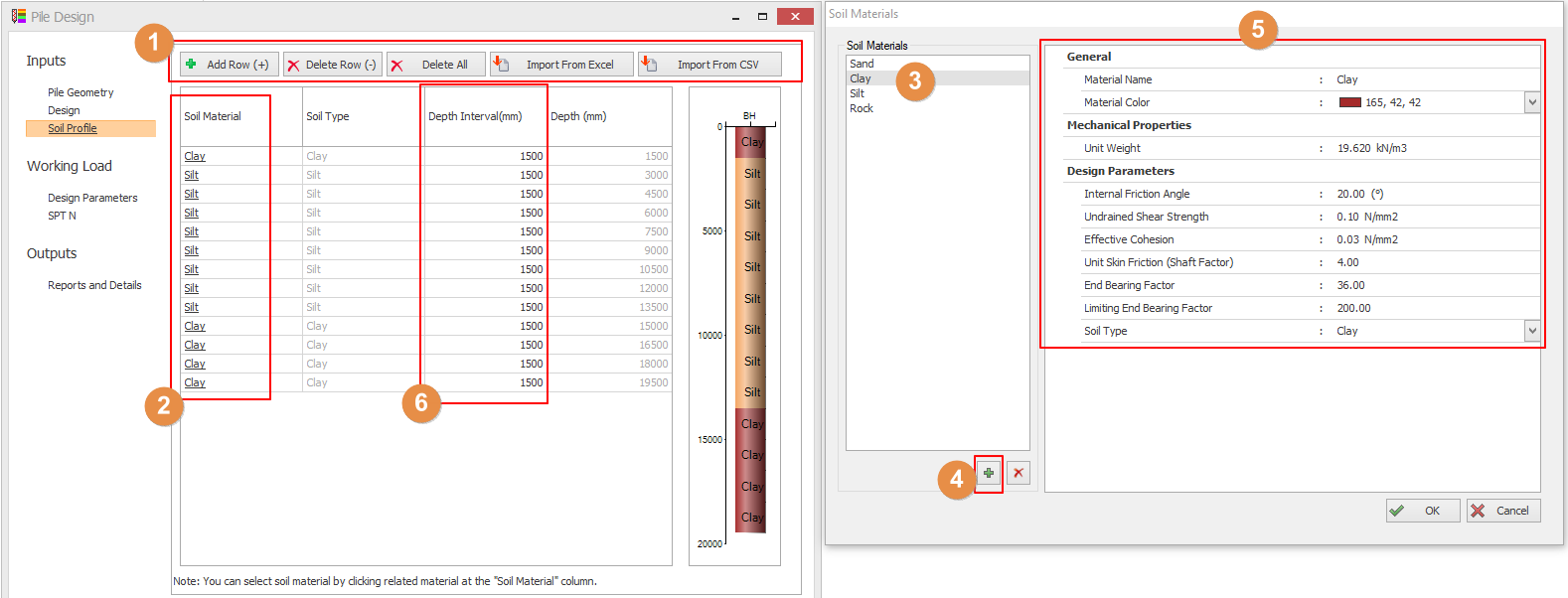
- The soil profile can be edited using the Add Row, Delete Row, Delete All and Import from CSV buttons
- Add Row – Add a new row above the selected row
- Delete Row – Delete the selected row
- Delete All – Removes all rows
- Import from Excel/ CSV – Import Soil Profile from an Excel/ CSV file
- Sample data import files for pile design & pile cap design micros are available under C:Users<UserName>DocumentsProtaLibSamples folder
- Click the label of soil material in the first column to define the new soil material or edit the soil material. A Soil Materials dialog will be shown.
- Select a different soil material from the Soil Materials dialog > Click OK to change the soil material of the selected row.
- Click " + " button to add a new soil material. Click " x " button to delete a selected soil material.
- Material name and color, mechanical properties, and design parameters of the soil material can be edited.
- The thickness of the soil layers can be edited in the Depth Interval column.
The Design Parameters tab allows you to enter the following parameters:
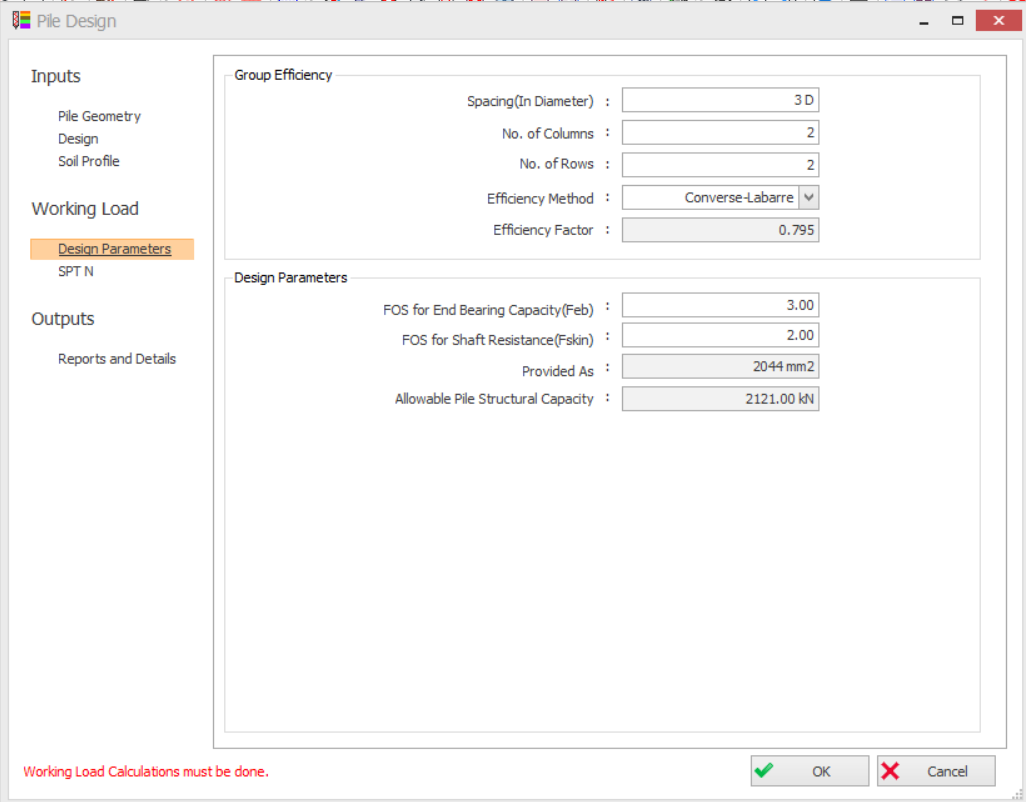
- Input/ confirm parameters of Group Efficiency. The purpose is to determine the Efficiency Factor to be applied to the pile working load. Set the Efficiency Method to Do Not Apply Efficient Method if the efficiency factor is not required.
- Input / confirm the Factor of safety for end bearing & shaft resistance.
- Input/ confirm the Effective Prestress (for RC spun pile only)
- The provide As (Area of Provided Main Rebars) and Allowable Pile Structural Capacity are automatically calculated from the pile properties and rebars in the Pile Geometry and Design tabs.
The SPT N tab allows you to enter the SPT N (Blow Counts of Standard Penetration Test) of each soil layers.
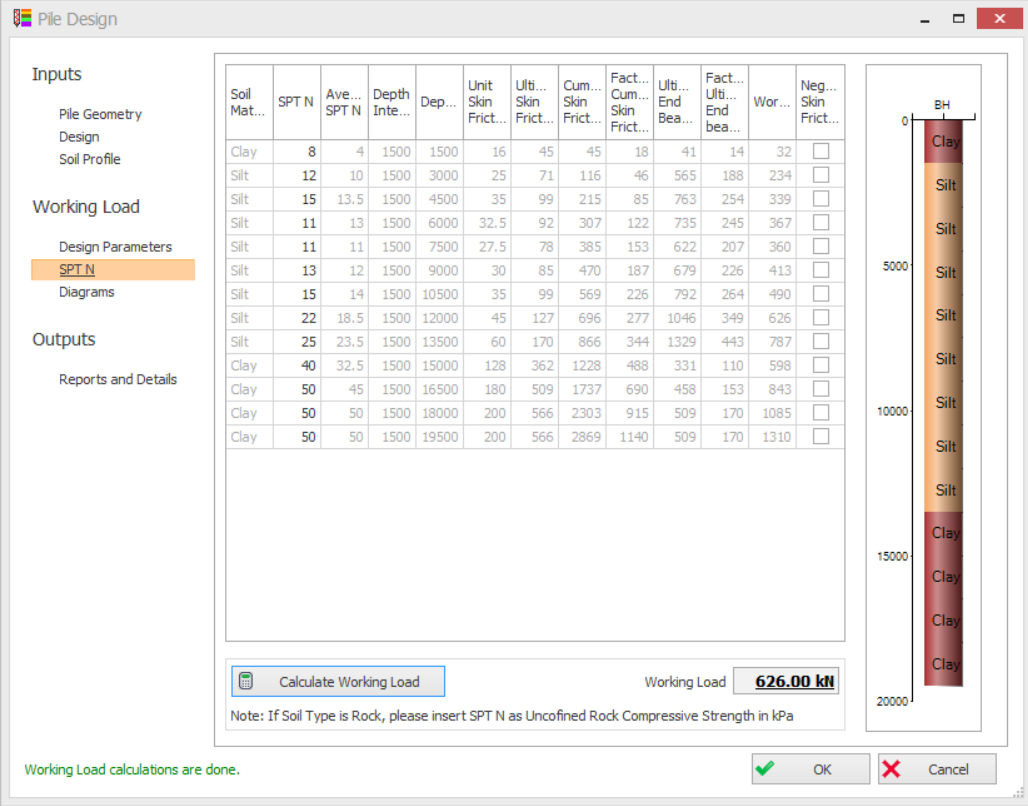
- Input the SPT N for each soil layer.
- The skin friction can be set to negative by checking the checkbox in the last column.
- For Rock type, instead of entering SPT N, please enter Unconfined Compressive Strength (in kPa) in the SPT N column
- Click Calculate Working Load button to calculate the working load at the pile toe
- The Diagrams tab will be visible if Calculation Working Load button is clicked
- You can review the SPT N vs Depth and Working Load vs Depth plots in diagram
- If the Red Diamond marker (i.e.Pile Working Load) is on the righ-hand side of the Adequacy line, it indicates that the pile working load is sufficient .
The Results and Details tab allows you to generate the design report
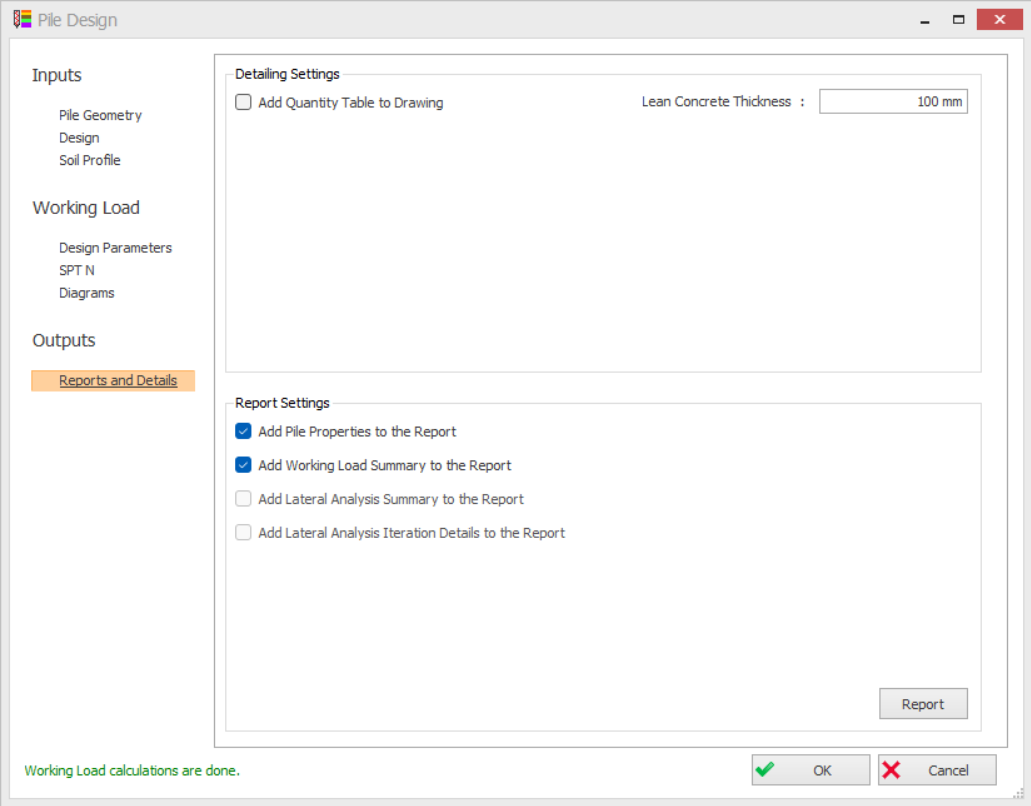
- Click Report button to create the report