

Splice Connection Macro Example Psteel 2022
A Splice Connection Macro can be created between a beam & a beam or a beam and a column. Placing the mouse cursor over the Splice Connection Macro will reveal the tooltip describing the scope and steps of this macro.
How to use it
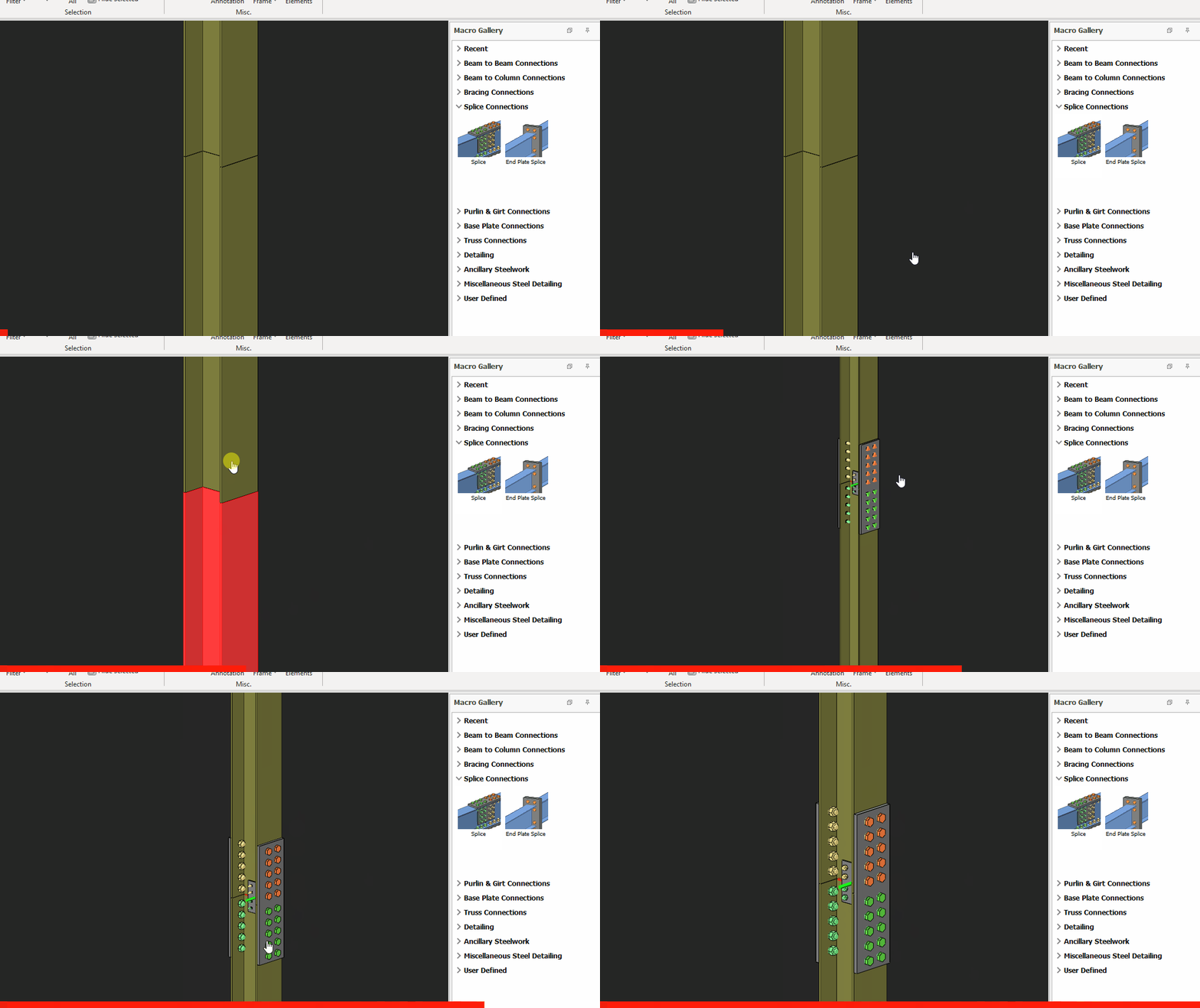
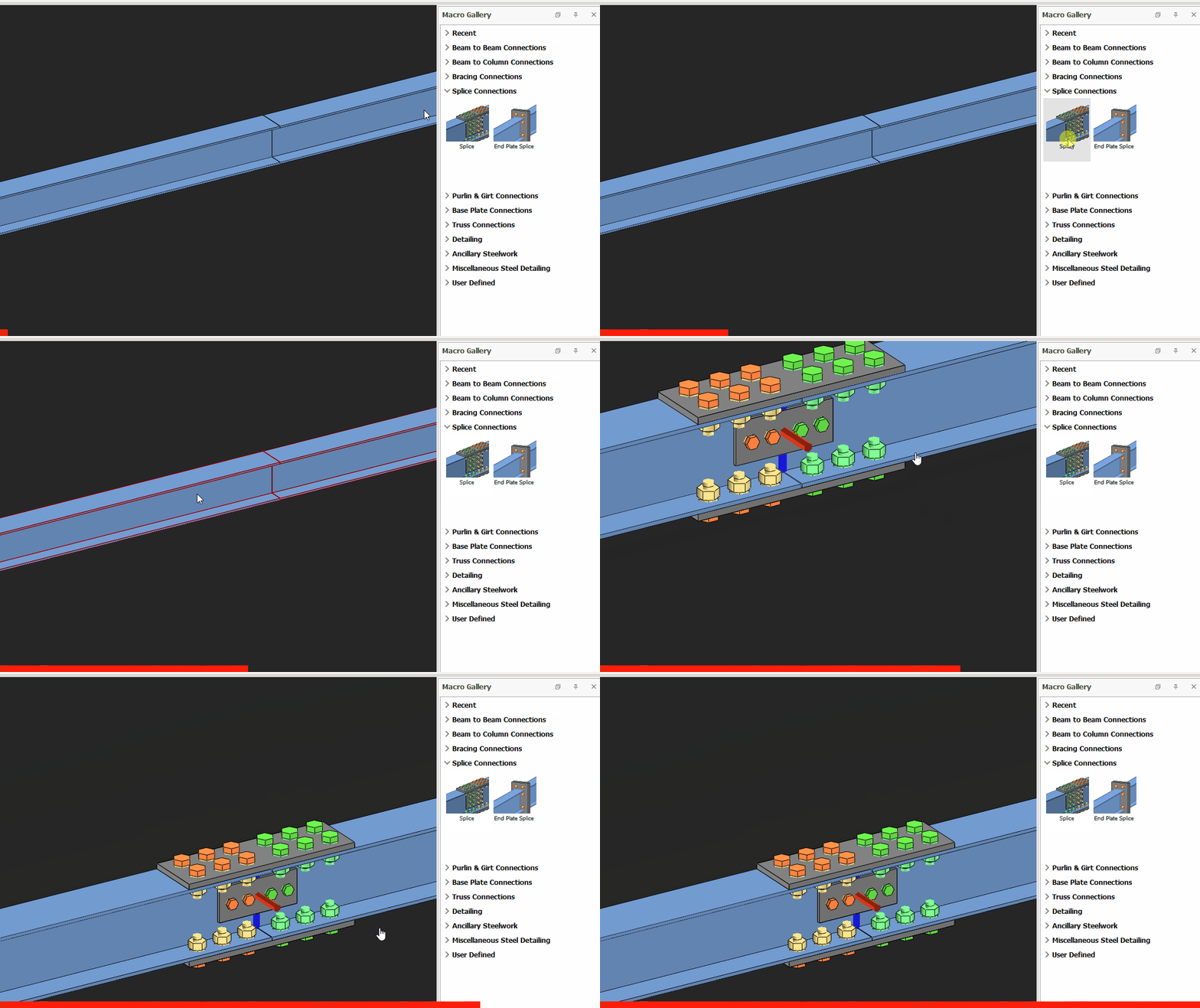
- Click "Splice" under splice connections category.
- Pick the Top Column.
- Pick the Second Column.
- The connection will be automatically created.
Column-Column
Beam-Beam

The meaning of different color of bolts are illustrated in the figure below:

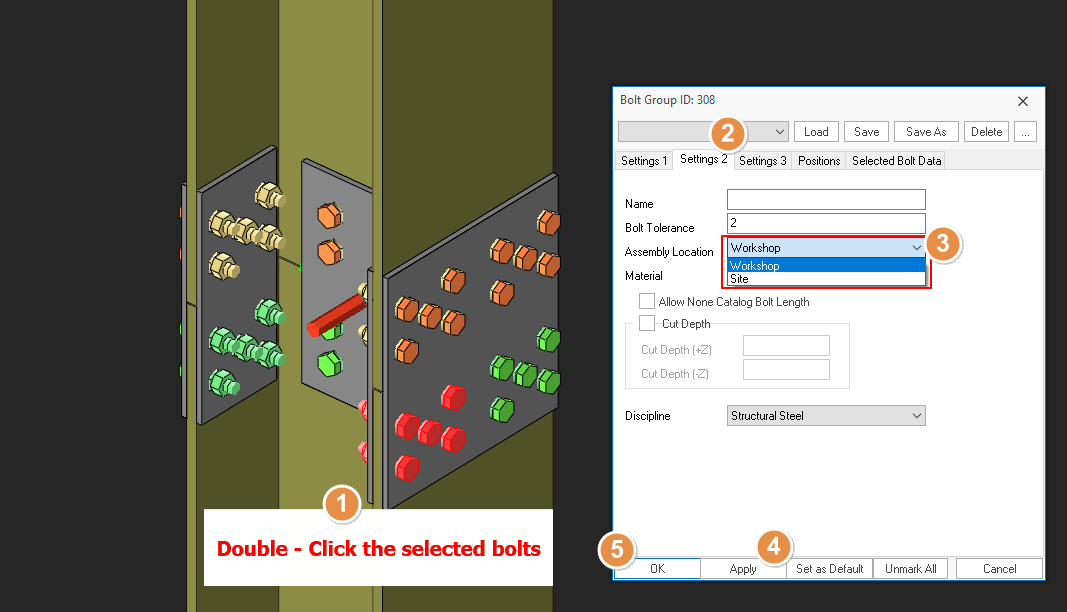
To change the assembly location of the bolts, kindly refer to the steps shown in the figure below:
- Create the most appropriate View first before creating the connection. The same view & orientation will be used to produce the drawings. Click this topic for more details: Creating Views
- Press F9 on the joint to set the point of interest. The view will then rotate about the point of interest.