

Stepped Foundations And Elevator Pits With Basement Slabs And Walls
You can model and analyze foundations at different elevations and elevator pits with foundation slabs and walls.
1. Insert slabs in foundation storey as usual.
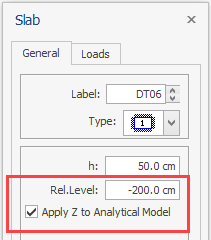
2. Enter the relative elevation difference in the “Rel. Level” field on the Slab Properties window. Positive values will move the slab upwards.
3. To consider the “Rel. Level” parameter in the analytical model, check the “Apply Z to Analytical Model” option.
4. You can create as many elevation differences for different slabs as you need.
5. Elevator Pits can also be modeled this way

You can modify Del-Z values of shear walls in the upper storeys to create the foundation walls and elevator pit side walls. Similarly, column bottom DelZ values can be modified to match the slab elevations. Do not forget to assign supports to columns and walls that are not modeled in the first storey.
For details on assigning supports, refer to : How to model a Foundation at Different Level/Storey
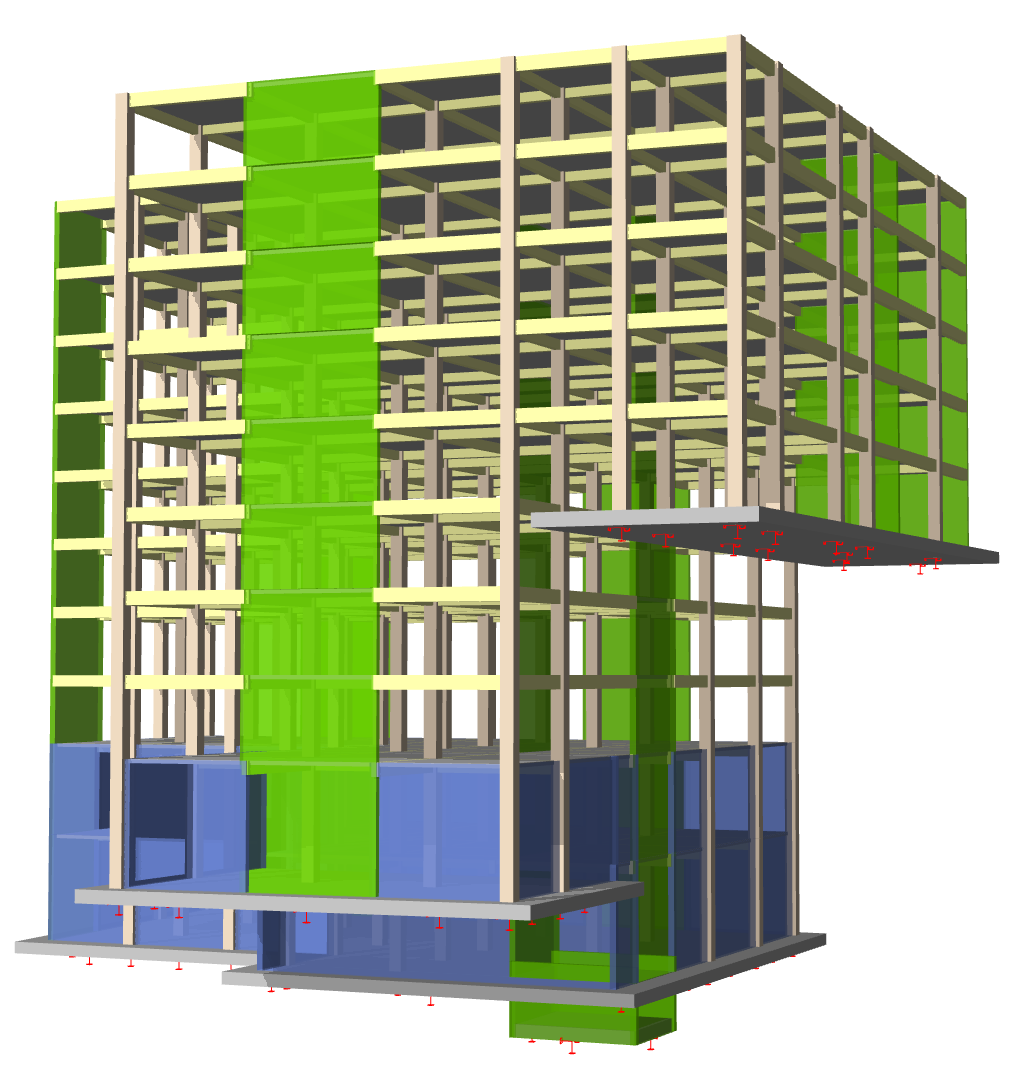
Figure above : ProtaStructure 3D physical model with four different foundation level
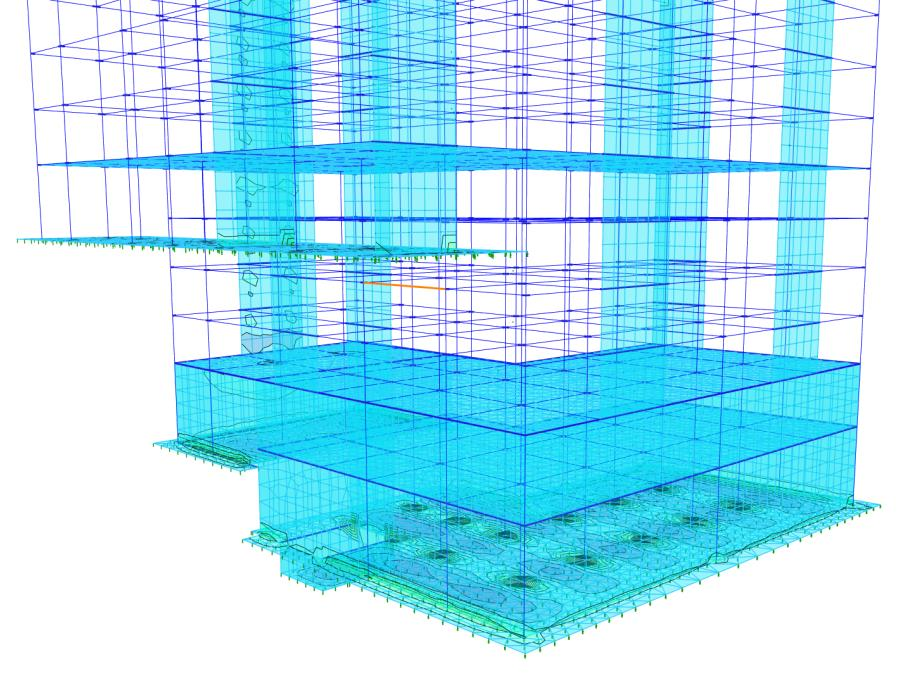
Figure above : ProtaStructure Analytical Model with foundation integrated with super structure.
If the elevation difference in the foundation is more than a storey height, it is recommended to use “Merged Foundation Model” in the building analysis.
Refer to this setting describe under Building Analysis > Model Options : Merged Foundation Model / Soil Structure Interaction
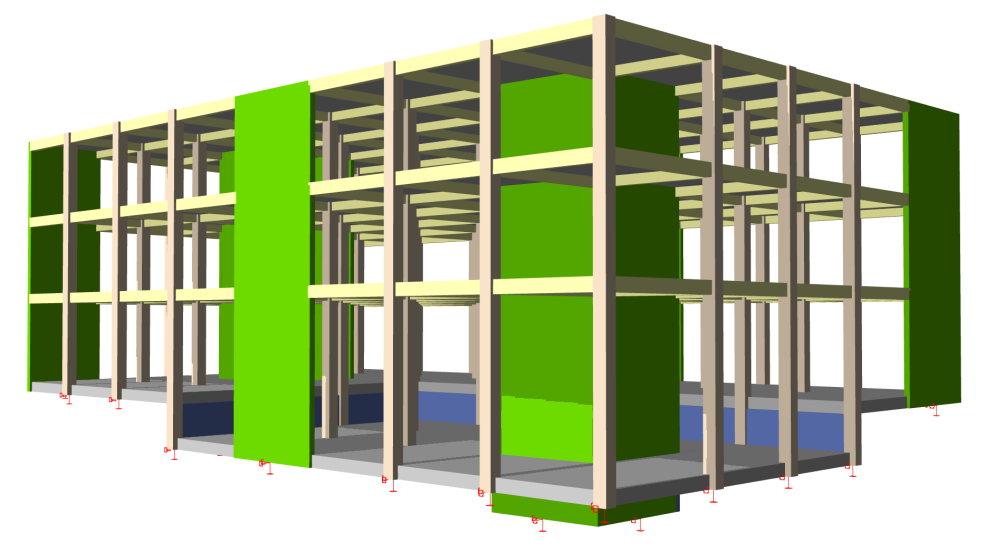
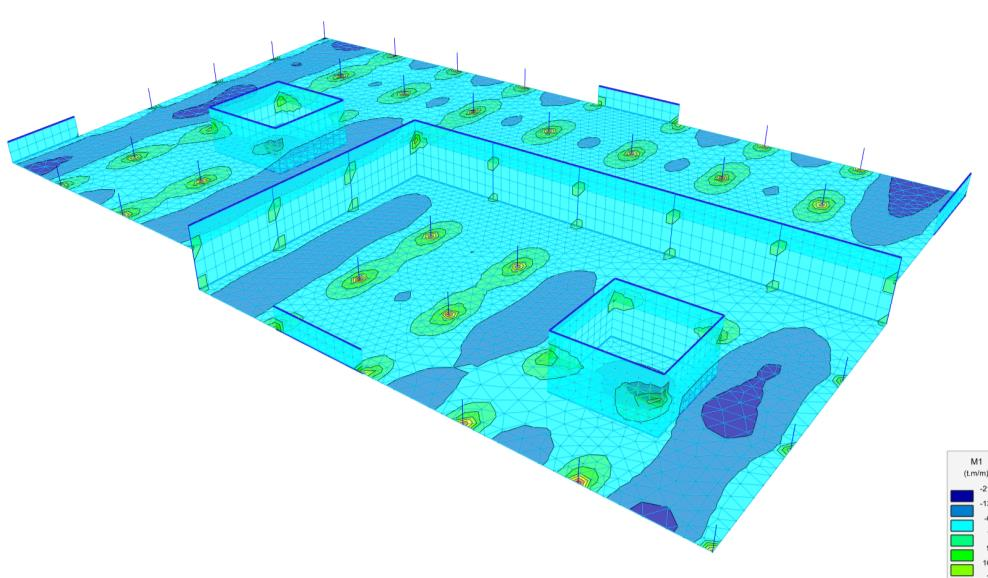
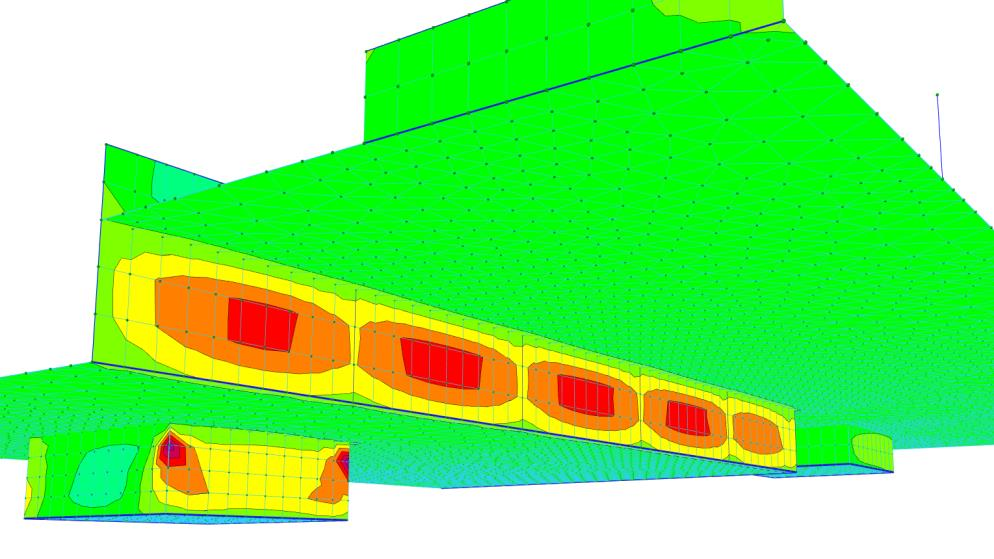
In the pictures above, you see a foundation model with an elevation difference smaller than a storey height. The slabs at the right are lowered by -200 cm relative level. Elevator pit slabs are assigned an additional -180 cm. The blue colored foundation walls are inserted in the first storey; their top edges are lowered by -510 cm and bottom edges are lowered by -200 cm. Foundation walls and elevator pit walls are assigned horizontal area loads using the load editor.
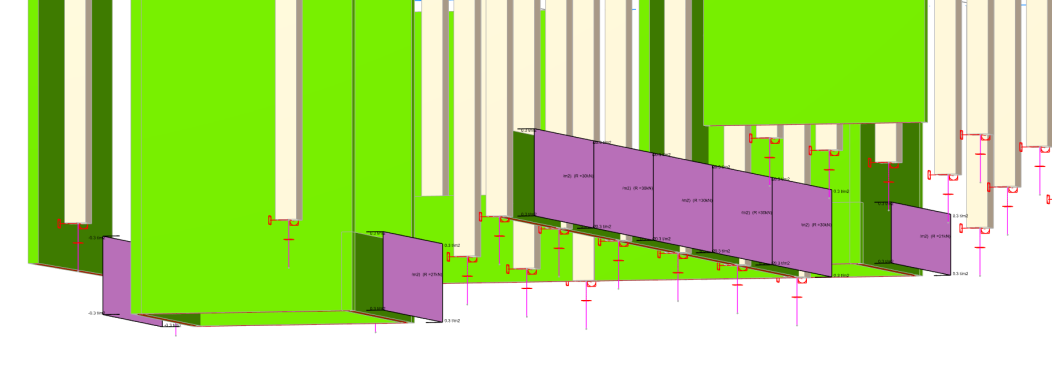
Figure above : Loads can be assigned to foundation and elevator pit walls using the interactive load editor
Horizontal Soil Springs in Raft Foundation
Horizontal soil springs may be necessary, especially for stepped foundations under vertical and lateral loads. You can now optionally use horizontal soil springs in addition to vertical ones.
Horizontal springs can be defined as a percentage of vertical springs. The default value is 25% of the vertical spring stiffness. This percentage can be changed using the Settings > Foundation > General > Horizontal Subgrade Coefficient Ratio field (as below).
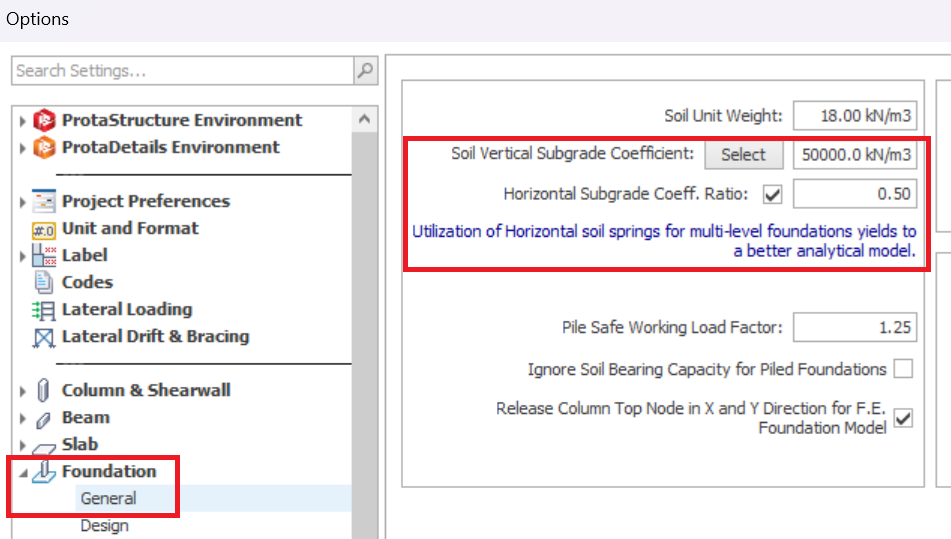
If you want to consider horizontal springs in the foundation, you should use the “Merged Foundation Model” in the Building Analysis menu > Model Options tab
In the FE Raft Foundation Analysis module, where the building and foundation are analyzed separately, shear forces are not transferred to the foundation and in-plane degrees of freedom are restrained. So, you may not get the expected results. In the Merged Foundation Model, the lateral loads and super-structure stiffness is inherently considered in the analysis, so, usage of horizontal springs will yield more realistic results.

Kindly watch this video tutorial : Elevator Pits and Horizontal Soil Springs with ProtaStructure Suite